✨ About Anime Shading Plus
Intro
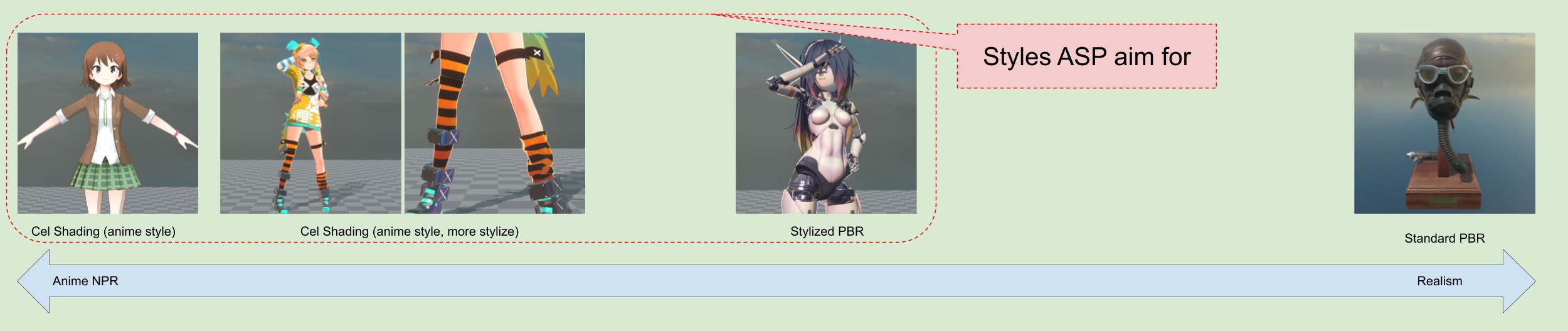
Anime Shading Plus (+), or ASP for short, is a Unity plugin specially designed for rendering anime-style characters. It helps game developers render 3D characters in the Unity engine with a style close to traditional cel-shading or even more stylized anime character.
Why Anime Shading Plus
Toon shaders are one of the most widely used shader types in Unity, and there are countless discussion and articles about toon shader on the Internet. However, over the years, I feel that there is no plugin that meets all of the following conditions at the same time:
Shader dedicated to rendering JRPG, anime-style characters
Cube Proxy self-shadow removal, plus an optional Character-Only Shadow Map on legacy release lines.
Good inner and outer outline effects (Screen Space Outline and Mesh-based Outline for characters)
Post-processing effects for JRPG, anime-style characters (e.g. Tonemapping)
Special handling of multiple light sources and ambient lighting (indirect light sources) for cel-shaded characters
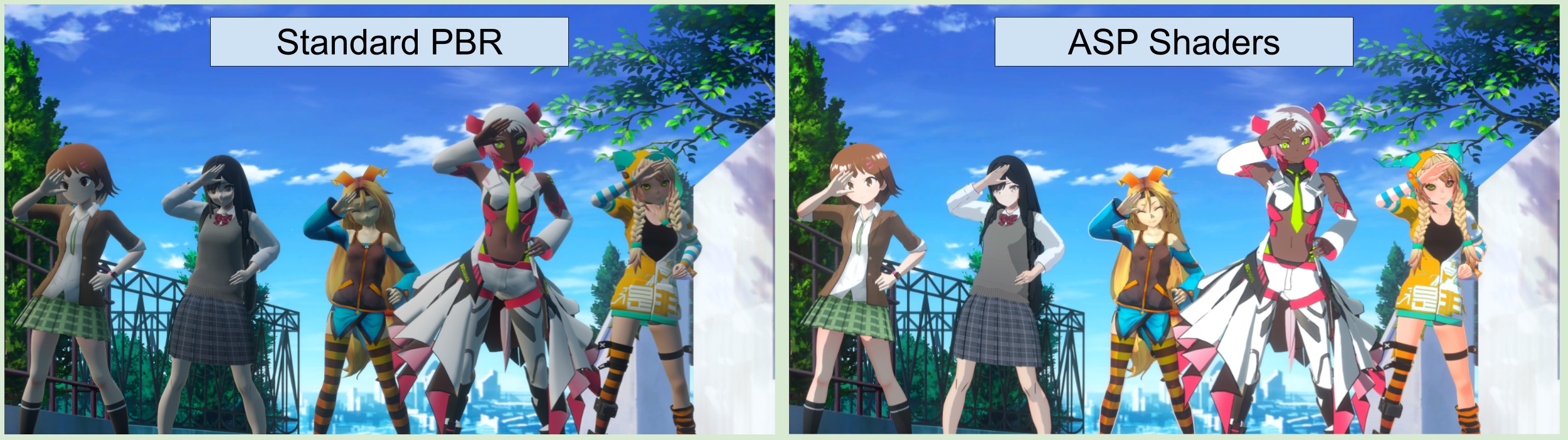
Option to mix standard PBR and toon shading.
Additional tools to improve workflow such as face shadow map baking tool and smoothed normal baking tool for mesh-based outline.
However, I believe that each of these feature is indispensable for achieving high-quality JRPG-like, anime-style character rendering. Therefore, I decided to integrate the above functions into a single plugin on the URP pipeline of Unity.
I believe that this plugin has the stability/performance/completeness to be a production-ready product for PC platforms. At the same time, it can also be used as a based shader to extend upon, for projects that require anime style characters.
Feature Highlights
1. A shader that is specifically designed to render anime-style characters.
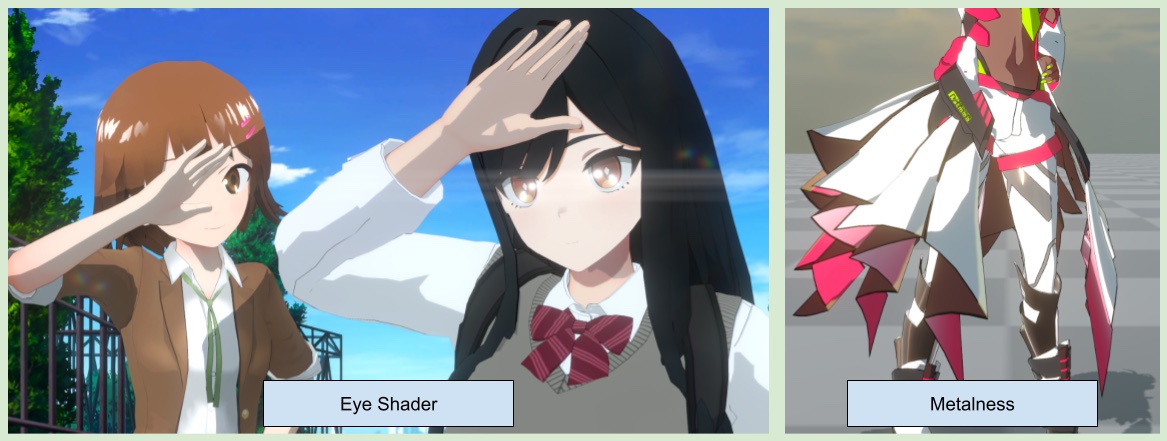
The shader includes a variety of features, such as cartoon lighting, stylized PBR lighting parameters, rim light, MatCap reflection, subsurface scattering, and FOV correction…and may more.
ASP also provides a baking tool for SDF-based face shadow maps, which are commonly used to render anime character faces in games.
A shader specifically for rendering anime character eyes.
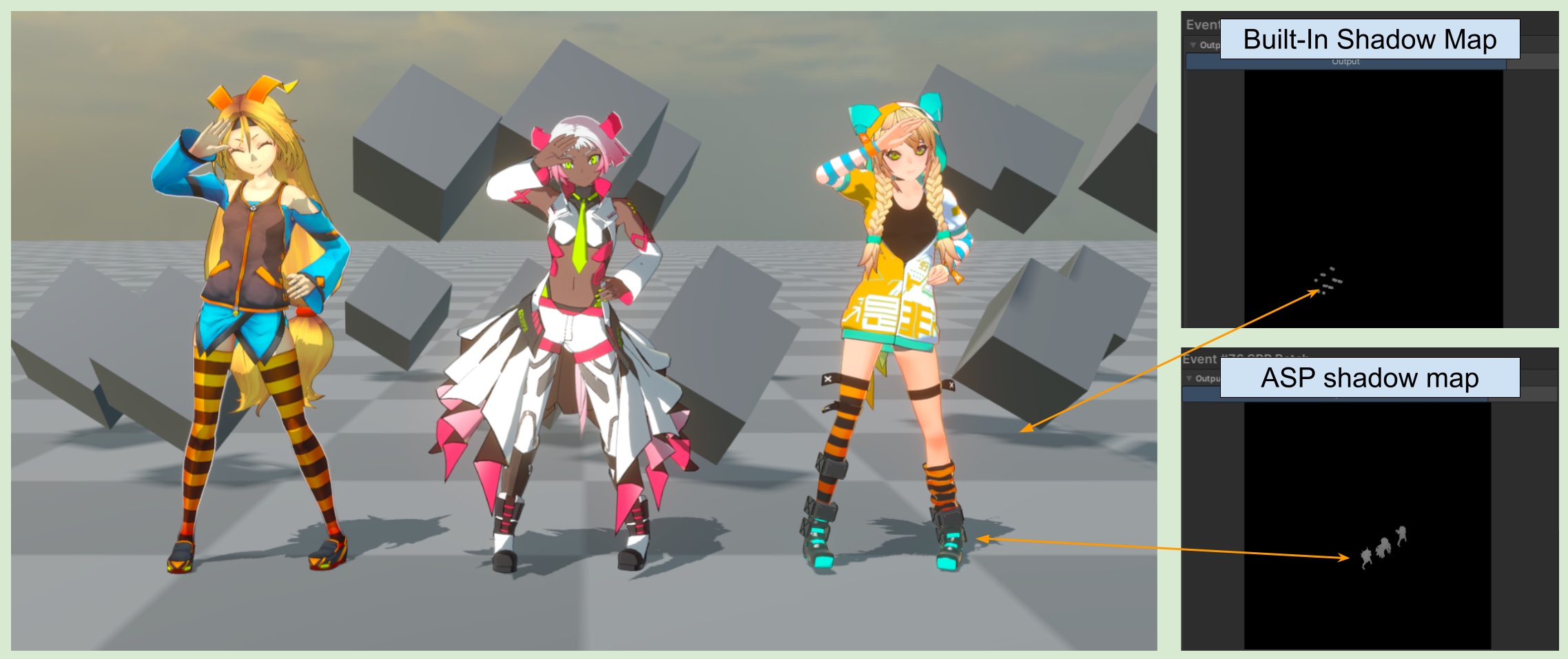
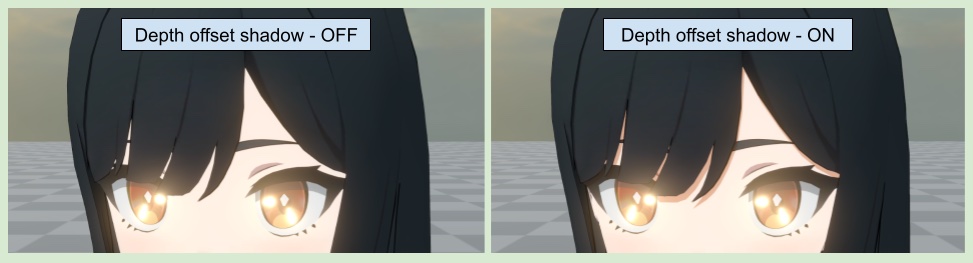
2. Cube Proxy, Legacy Character-Only Shadow Maps, and Depth-Offset Shadows
For the recommended self-shadow removal workflow, enable the Cube Proxy in the ASP Character Panel. Characters continue casting into Unity's built-in shadow map, while ASP character materials sample the main-light shadow at the proxy surface to exclude occlusion caused by the character's own geometry.
Unity 2022.3, 6.0, and 6.3 can still use ASP ShadowMap as an optional legacy Character-Only Shadow Map. Unity 6.5 removes this Renderer Feature.
To increase character detail, ASP also supports specifying Renderers to render shadows based on offseted depth buffer.
3. Tone Mapping Shader Designed For Anime Characters
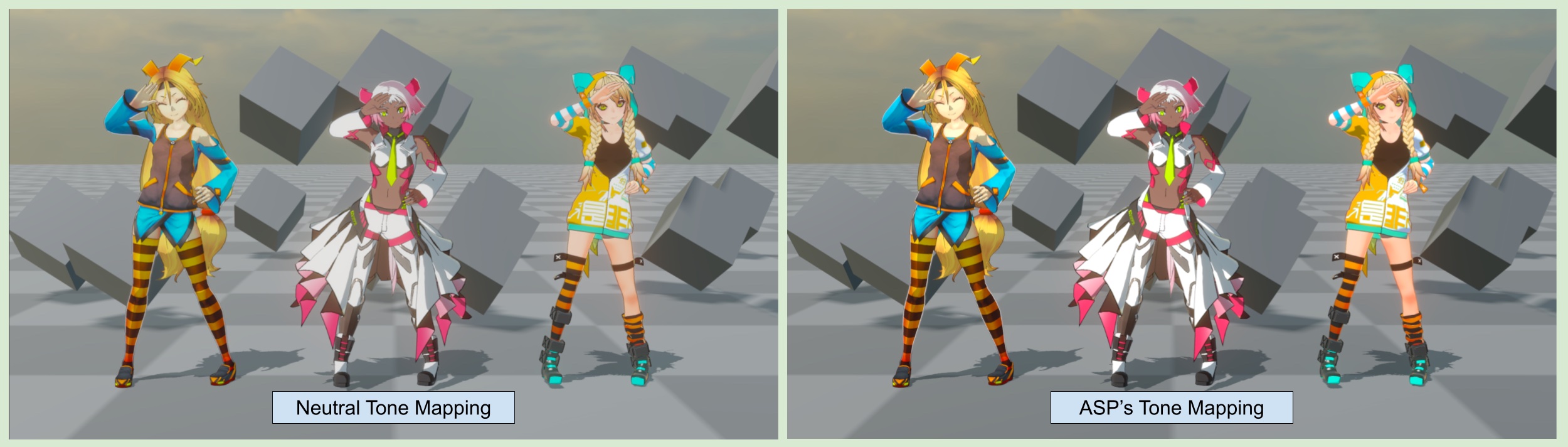
Traditional full-screen tone mapping can reduce saturation, which is not ideal for anime characters. To address this, ASP provides a tone mapping that can adjust the strength of the effect based on the pixels occupied by the characters on the screen. This allows anime characters to retain their origin colors even in a PBR environemt scene that required tone mapping.
4. Screen Space and Mesh-based Outlines
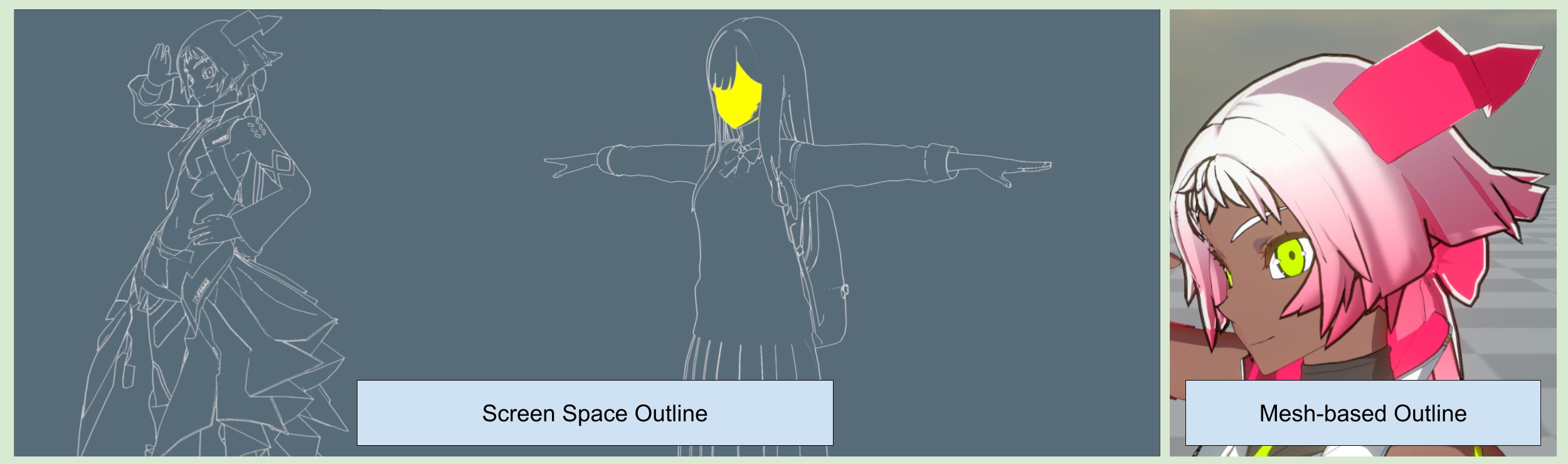
ASP provides both screen-space and model-space character outlines. The screen-space effect combines Material, Albedo, Depth, and Normals edges, supports the Vertex Color B channel as a character-pixel mask, and uses one unified Distance Falloff control for distant outlines.
💡 ASP also provides tools for baking smooth normals for model-space outlines.
5. Cel-Shaded Multi-Light and Ambient Light (Indirect Light) Handling
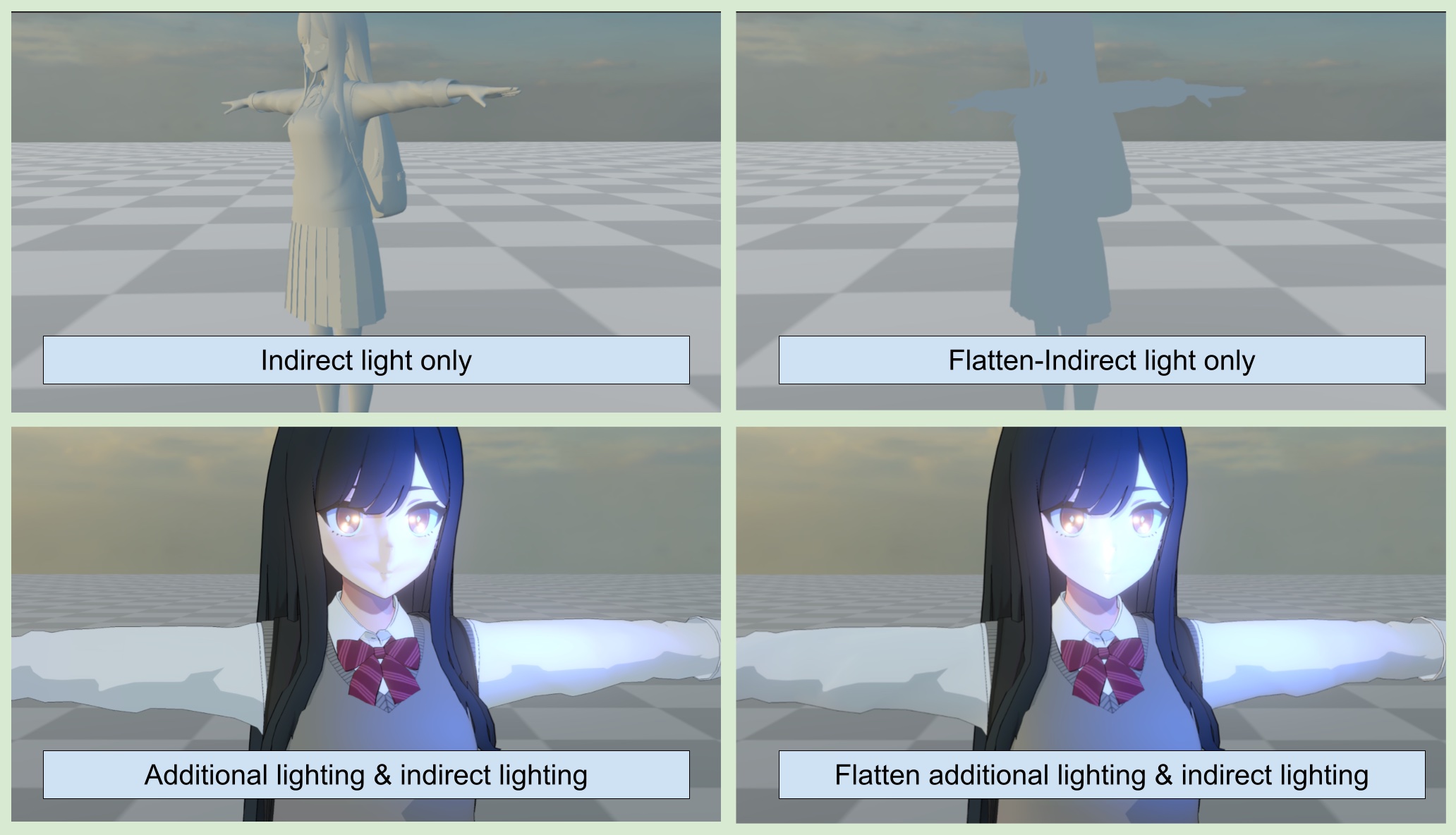
To render high quality cel-shaded characters, ASP provides an option to flatten the non-indirect light from ambient light and additional lighting result.
This can eliminate the 3D-ish feel of the characters and achieve a rendering result that is closer to the 2D, cel-shaded style.