🏎️ Optimizing Skinned Mesh Renderer Performance in Unity
This section outlines methods to improve GPU and CPU performance within Unity when working with Skinned Mesh Renderer.
Methods for Limited GPU Optimization
These techniques offer improvements to GPU performance:
Reduce Feature/Texture Count: Minimize the number of features and textures used within your materials.
Limit Edge Detection Types: Decrease the types of edge detection methods that being enabled.
Significant CPU and GPU Performance Optimization
Reduce the number of vertices count and vertex data in skinned meshes
Set LOD for skinned meshes
Enable GPU Skinning (when not GPU-bound)
Merge different materials in the same character to reduce the total number of skinned mesh renderers and materials
Skinned Mesh LOD Example
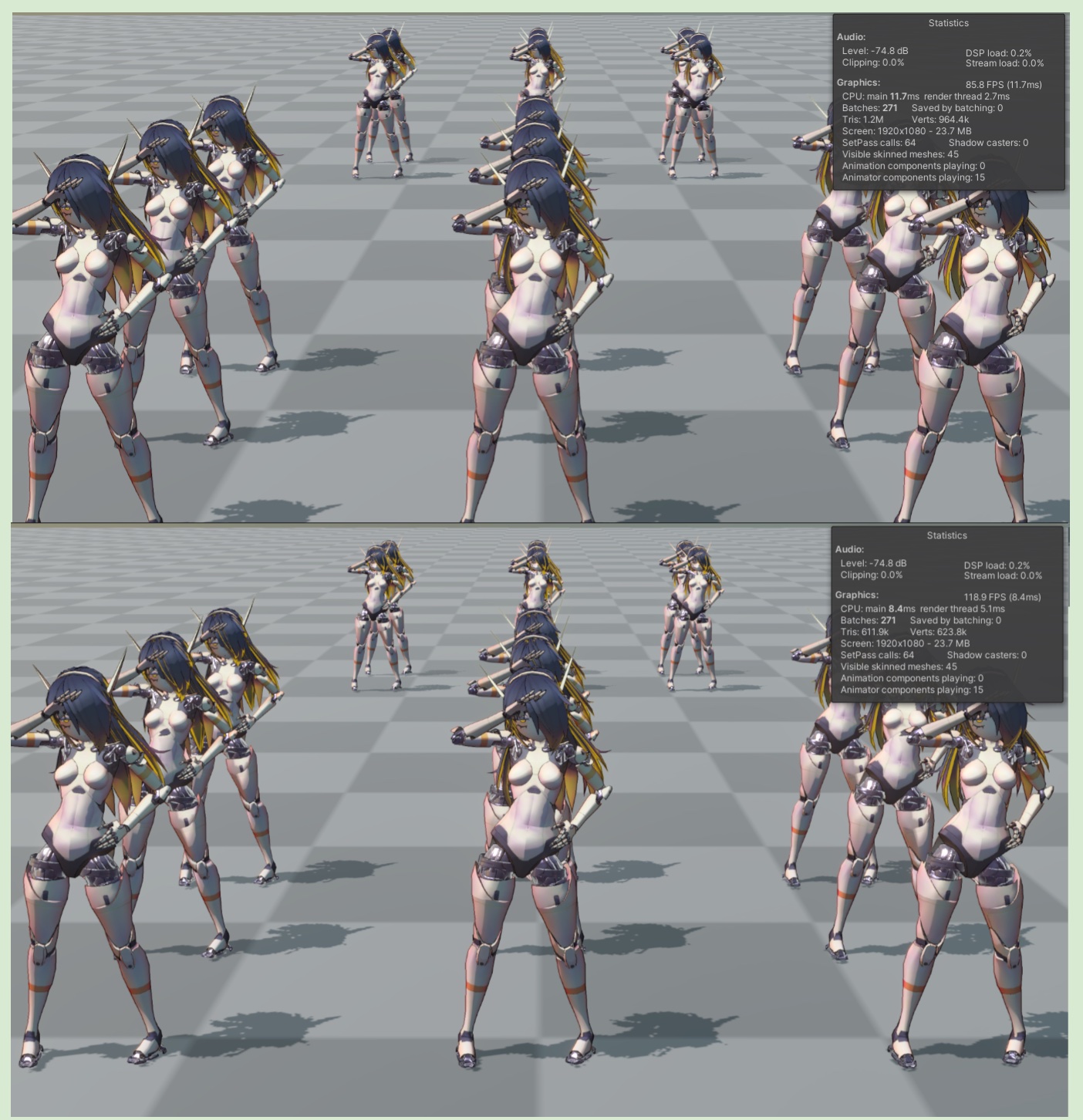
The following is an example of a CPU skinning (Unity default setup) project with 15 characters (each character model has 19,000 faces) on the scene.
Runtime FPS is approximately 85
After using three levels of LOD, FPS is approximately 120, which shows a significant improvement for the CPU.
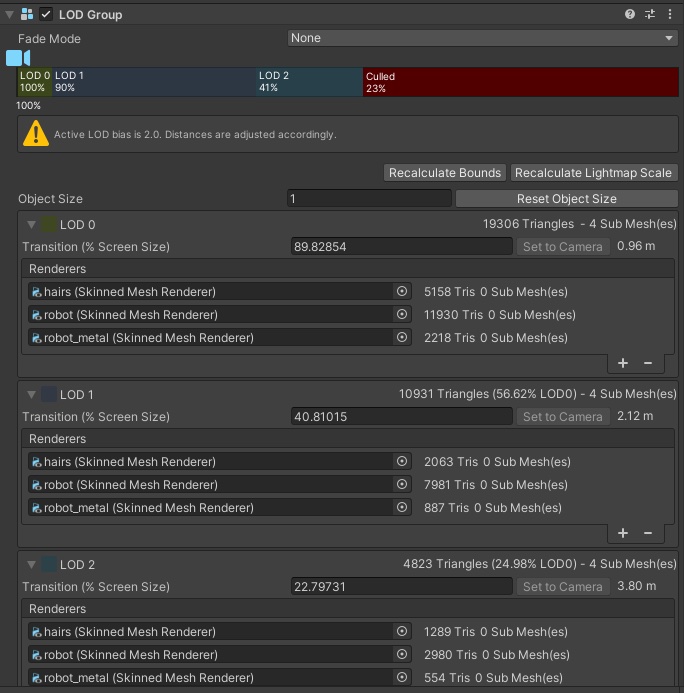
For information on how to bind meshes with different LODs to the same character skeleton, please refer to
Reuse skeletons for Unity LODGroup
In this holiday themed blog post we'll showcase how to reuse skeletons for different LOD levels in Unity. As an extra spice we will also throw in Bone Reduction for our last LOD level.
GPU Skinning
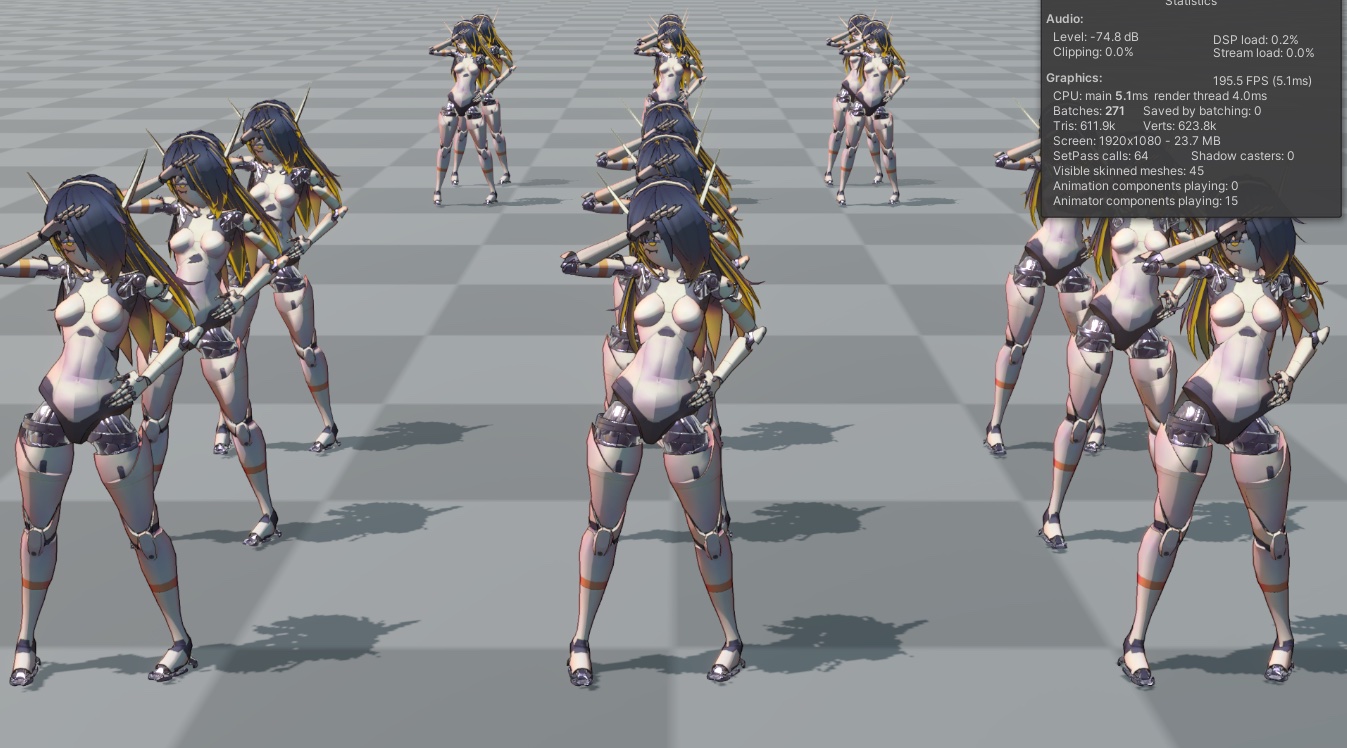
Unity provides a GPU Skinning feature that can significantly improve performance by transferring skinning calculations from the CPU to the compute shader on the GPU. If the target hardware/platform has a dedicated GPU (graphics card) and the project is not GPU-bound, this option can also significantly improve performance.
Using three levels of LOD + Enabling GPU Skinning - Performance improvement to approximately 200FPS
💡 Hardware tested for this page -
CPU : Ryzen 7 5800H
GPU : RTX 3060 Laptop