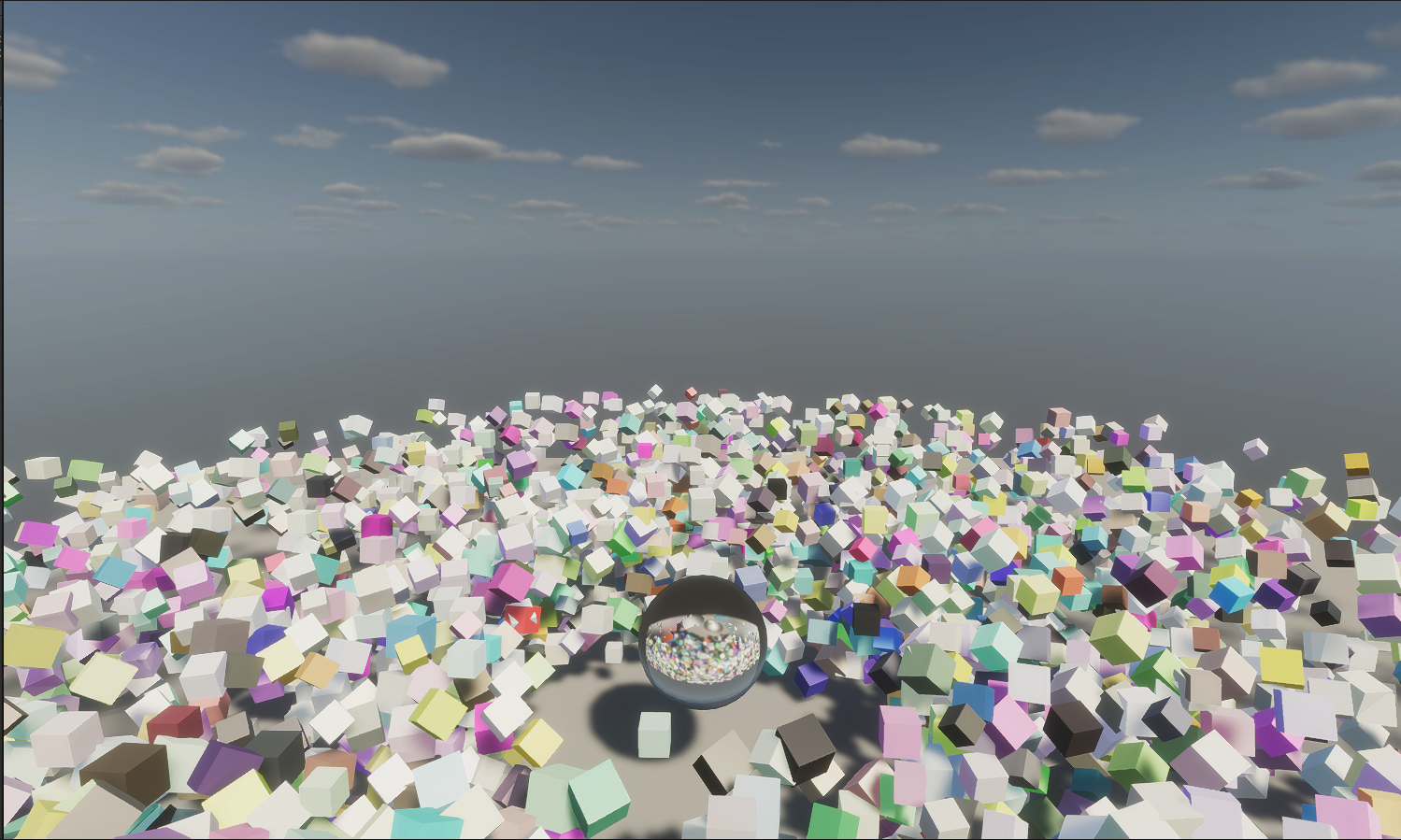
在渲染數量超過上萬個物件時,一般會使用叫做Instanced Indirect的API,在Unity內則是透過呼叫Graphics.DrawMeshInstancedIndirect這個方法,不論shader是用CG還是在SRP的HLSL寫都可以透過這個API來高效率的渲染出大量的物件。

但如果每次想用instanced indirect時都重寫一個custom shader,不免有點曠日費時,尤其像是HDRP管線這種光照計算更加複雜的情況,寫custom shader的成本就很高,於是我把歪腦筋動到shadergraph上,畢竟shadergraph拉出來的shader比較能無痛在各SRP間切換,修改效果的成本也更低。接著稍微查一下資料就會發現shadergraph並不支援DrawMeshInstancedIndirect這一個方法,不過好險是有辦法讓它支援的。讓它支援的方式藏在Particle System GPU Instancing的實作中。
首先,shadergraph內新增一個custom function node,設為string模式。內容如下 :

這個node的用途就是讓這支shader能跑#pragma那段。 關鍵就是prcedural:SetupFunc(或任何你想取的funtion名) 這一段,當執行
後,unity除了執行SetupFunc,還會把instancedID相關的MACRO都跑一遍,也就讓這支shader變成支援procedural instancing的shader,在這之後就可以透過unity_InstanceID來取從C# script內傳進GPU的structure buffer內的data。
接著,再新增一個custom function node,這次用file模式,這個node必須呼叫任何一個include file內的function(比如說下方的Dummy),shadergraph內才會真的存有上方指定的procedural function的程式碼。
include file的內容,可以參考
這部分(點我展開)

vertInstacingSetup裡面直接修改了unity_objectToWorld矩陣,讓instanced mesh的object position可以根據unity_InstanceID去取buffer內對應的data作移動、旋轉、縮放,
而檔案最下方的InstancingColor則是再新增一個custom function node來呼叫,function內部一樣根據unity_InstanceID取buffer內對應的color。
最後拉出一個每個instanced的旋轉速度不一樣、顏色隨機的shadergraph來作測試,

C#的部分大部分沿用unity範例,在HDRP下Demo :
參考資料 https://twitter.com/Cyanilux/status/1396848736022802435?s=20
https://docs.unity3d.com/ScriptReference/Graphics.DrawMeshInstancedIndirect.html