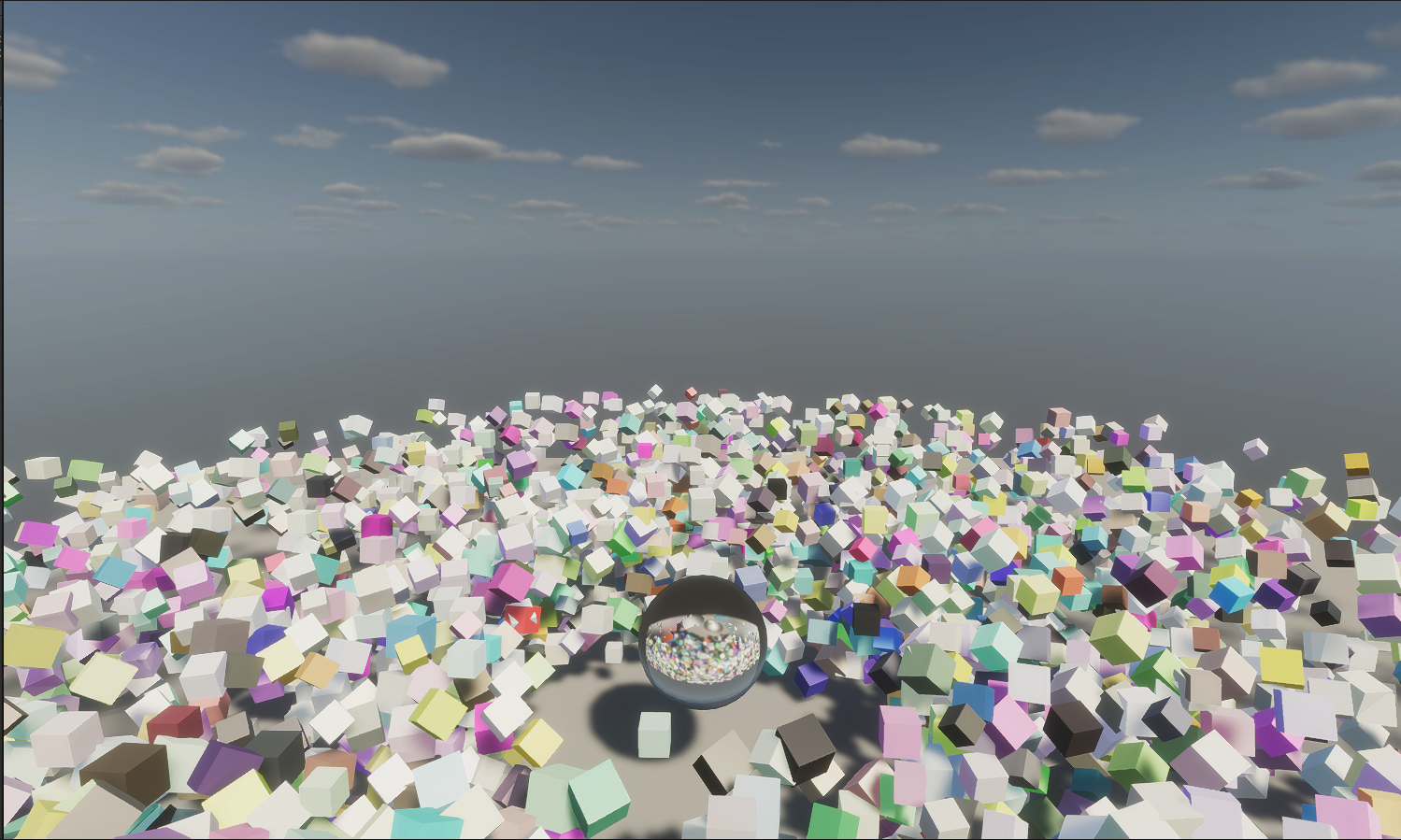
When rendering more than ten thousand objects, it is common to use an API called Instanced Indirect. In Unity, this means calling Graphics.DrawMeshInstancedIndirect. Whether the shader is written in CG or SRP HLSL, this API can efficiently render a large number of objects.

Rewriting a custom shader every time I want to use instanced indirect rendering is rather time-consuming. This is especially true for a pipeline such as HDRP, where the lighting calculations are more complicated and the cost of writing a custom shader is high. That led me to Shader Graph: shaders generated by Shader Graph can switch between SRPs with less pain, and modifying an effect is cheaper. A quick search reveals that Shader Graph does not support DrawMeshInstancedIndirect, but fortunately it can be made to support it. The implementation is hidden in Particle System GPU Instancing.
First, add a Custom Function Node in Shader Graph and set it to String mode. Use the following content:

The purpose of this node is to make the shader execute the #pragma line.
The key is procedural:SetupFunc (or whatever function name you choose). When Unity executes
it runs SetupFunc and all of the macros related to the instanced ID. This turns the shader into a procedural-instancing shader, after which unity_InstanceID can be used to read data from the structured buffer passed from the C# script to the GPU.
Next, add another Custom Function Node, this time in File mode. This node must call a function from an include file (such as Dummy below); otherwise Shader Graph will not actually retain the procedural-function code specified above.
Include-file contents are available
here (click to expand)

vertInstacingSetup directly modifies the unity_objectToWorld matrix, allowing the object position of each instanced mesh to be translated, rotated, and scaled by reading the corresponding data from the buffer using unity_InstanceID.
At the bottom of the file, InstancingColor is another Custom Function Node that reads the corresponding color from the buffer using unity_InstanceID.
Finally, I made a Shader Graph in which every instance has a different rotation speed and a random color:

The C# portion is mostly adapted from the Unity example. Here is the demo running under HDRP:
References https://twitter.com/Cyanilux/status/1396848736022802435?s=20
https://docs.unity3d.com/ScriptReference/Graphics.DrawMeshInstancedIndirect.html