In 2025, writing asynchronous code with C# Async Tasks is a skill Unity developers can no longer avoid. Unity’s support for C# async tasks goes back as far as Unity 2017, although fewer people used it at the time. This post records my experiments implementing a MyTask class and using it in Unity to understand how C# achieves asynchronous execution. I learned from Stephen Toub’s Deep .NET: Writing async/await from scratch in C# with Stephen Toub and Scott Hanselman and his post How Async/Await Really Works in C#.
Warm Up
This section briefly reviews synchronous and asynchronous execution and the syntax of Coroutines and Async Tasks. If you already understand the difference between them and are only curious about how C# Async Tasks work, skip ahead.
Synchronous vs. asynchronous execution
For Unity developers, asynchronous execution is not unusual. We have long used Unity’s purpose-built Coroutine class for asynchronous work and logic that spans multiple frames.
Here is a simple example that changes an object’s opacity from 1 to 0 without a Coroutine:
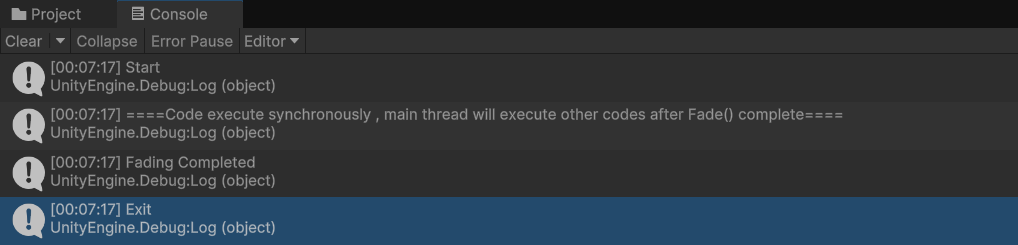
Exit is printed only after Fade() finishes. The user cannot see the opacity transition from 1 to 0 because Unity’s main thread waits for this code to finish before rendering the frame; it cannot do anything else in the meantime.
With a Coroutine, the opacity can change by -0.1 each frame, spreading the transition across ten frames.
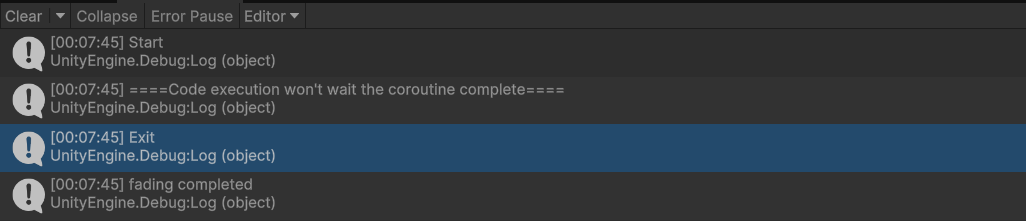
The PerformFadeCoroutine() function finishes immediately after printing its logs, while the Coroutine continues asynchronously until the fade completes after ten frames.
Unity Coroutine vs. Async Task
If Coroutines are so useful, why do we need Async Tasks? The main reason, in my opinion, is that StartCoroutine returns void. It has no return value, so it is difficult to obtain a Coroutine’s result directly from code. We end up adding flag variables for different states and passing callbacks into the Coroutine for the logic that follows each state, which makes the logic difficult to maintain and extend.
Consider a popup dialog that plays an animation and cannot be interacted with until the animation completes. The Confirm and Cancel buttons perform different actions.
Using a Coroutine
We need callbacks for every state. To keep callbacks from interfering with each other, we may even need additional flags in the script.
💡 Imagine that a button in this popup could open another popup, or that the opening animation could be canceled halfway through. The logic would become much more complicated, and the next programmer would scatter breakpoints and logs through the IDE to reconstruct the callback order.
Using an Async Task
Here the popup animation is a Task, and the logic after each button click is no longer passed as a callback; each button is an independent Task.
The execution order is:
- Wait for
PopupAnimationTaskto complete, then register the button events. - Wait for either button Task (
waitButtonsTask), then unregister the button events. - Use
waitButtonsTask.Resultto determine which button was clicked and run the corresponding logic.
The method itself also has a Task return value. If another UI calls this popup, it can inspect the Task’s state to determine whether the popup has completed without relying on callbacks.
💡 To cancel a Task (or several Tasks chained together), use the
CancellationTokenfrom aCancellationTokenSource.
How C# Async Tasks work
The implementation has three parts: a Thread Pool, a Task, and Async/Await, which enables asynchronous execution.
Thread Pool
Before writing the Task, we need a custom Thread Pool, MyThreadPool:
The class creates N worker threads. Each checks whether the BlockingCollection s_workItems contains an item. If it does, a worker executes that item. Items are callbacks enqueued by Tasks or code run through Task.Run.
💡 A BlockingCollection is a thread-safe collection that supports access from different threads. If its count is zero, the thread blocks until an item is available.
Implementing Task
A Task marks whether work has completed and stores a callback to execute afterward. A minimal Task has this API:
IsCompleted checks whether the Task has completed. SetResult and SetException complete the Task; SetException also propagates an exception. Wait pauses the current thread until the Task completes. It is not the “pause, then resume” mechanism of asynchronous execution; it is a forced wait for code that wants to read a result synchronously. ContinueWith accepts a delegate to invoke when the Task completes.
💡 Task callbacks are executed through C#’s Thread Pool. The
CompleteandContinueWithimplementations below enqueue callbacks into the pool.
Complete
Complete (called by either SetResult or SetException) marks the Task as complete. A Task can complete only once; calling Complete again throws an exception. After completion, if a continuation exists, the Thread Pool executes it.
💡
lock (this)is used here to prevent races, but it is not ideal: it locks on a public object, so external code could acquire the same lock and cause a deadlock. The official C# Task uses a lock-free implementation.
ContinueWith
The flow is simple:
- If the Task has completed, send the callback directly to the Thread Pool.
- If it has not completed, store the callback in
_continuation;Completeruns it automatically later.
Wait
Wait checks whether the Task has completed. If not, it registers ManualResetEventSlim.Set() as the continuation. The current thread remains blocked until Set() is called; once the Task completes, execution continues.
💡 This also reveals a deadlock risk: pausing the current thread can deadlock if the Task needs that same thread to perform work before it can complete. There is an example later.
ExecutionContext
💡 We will return to ExecutionContext after implementing the complete Async Task, because it needs to be explained together with SynchronizationContext. For now, remember that it exists.
Task.Delay
We can implement a MyTask version of Delay with C#’s Timer:
Testing Delay and Wait
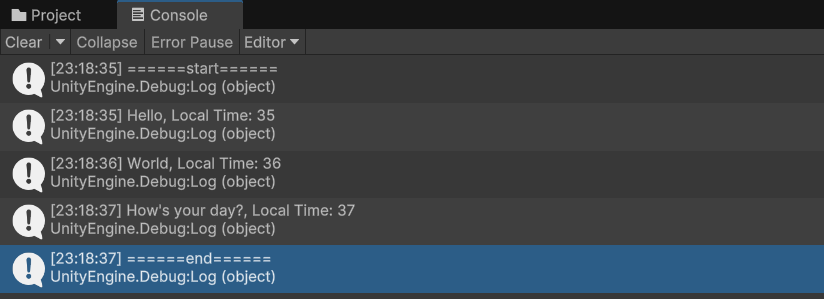
Each string is printed, then the program waits one second. The entire process is synchronous:
- Thread line 1:
======start====== - Thread line 2: wait for all Tasks in
DemoDelayTasksin sequence - Thread line 3:
======end======
We still have not implemented true asynchronous execution. This waiting is synchronous on the same thread; while each MyTask.Delay runs, the current thread cannot do anything else.
💡 The example wraps all execution in a
new Thread()so that callingWaitdoes not freeze Unity’s main thread and hide the logs. In practice, we almost never callWaitdirectly.
Chaining multiple Tasks—the requirement
MyTask.Wait currently applies to one Task. To make Task A depend on Tasks B and C—waiting for all three when waiting for A—ContinueWith and its return value must support returning a Task instead of void.
Another ContinueWith overload
Chaining example
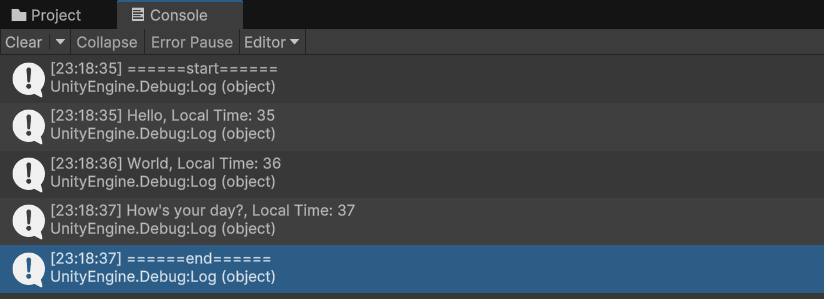
Calling Wait on the first Task keeps the current thread paused until all Tasks finish.
Task.Run
Next, implement the common Task.Run operation:
This lets the delegate run on a thread in MyThreadPool.
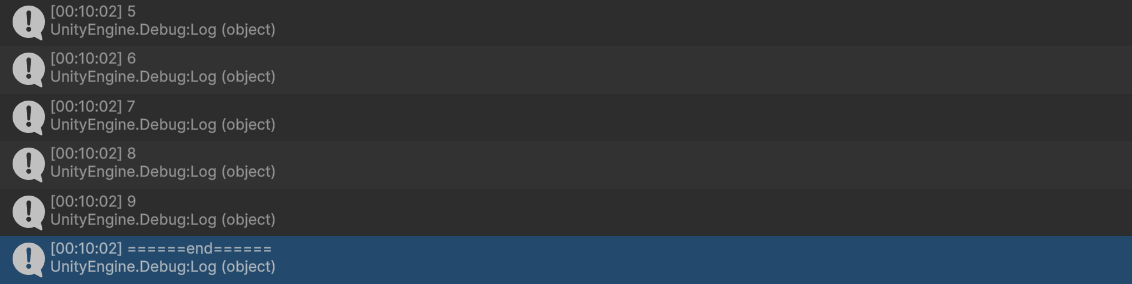
The numbers appear in order because each Task.Run is enqueued only after the previous one completes.
Task.WhenAll
If order does not matter and we want to fire every Task.Run at once and receive a notification after all Tasks finish, implement Task.WhenAll.
All callbacks execute on Thread Pool threads, so Interlocked is required when checking and modifying the shared count to make the operation thread-safe and avoid a race condition.
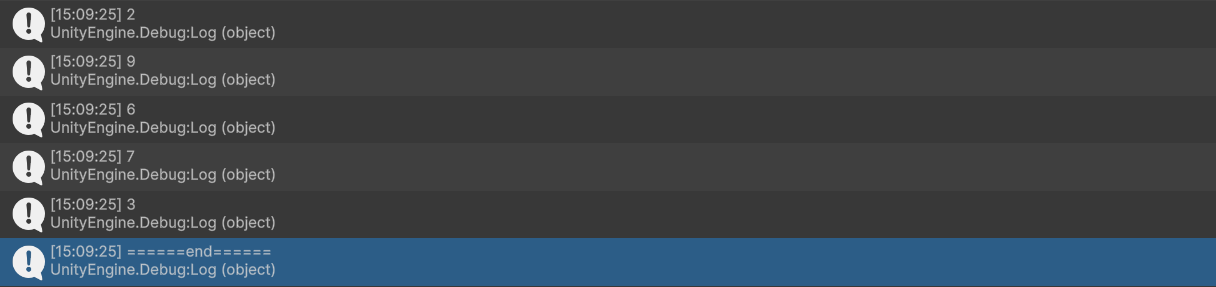
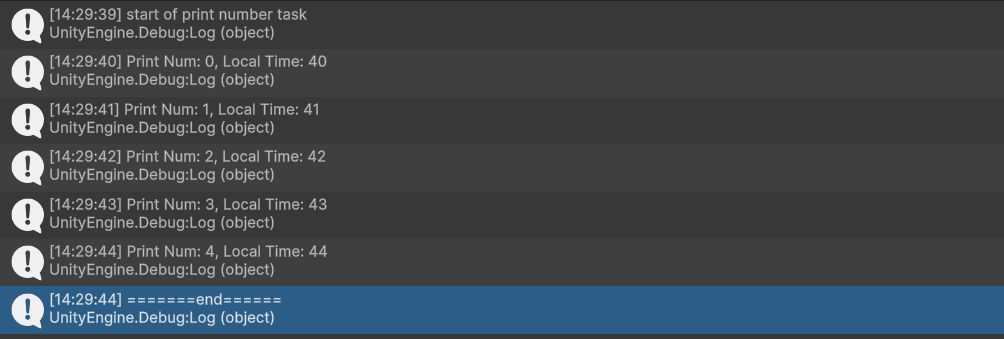
The numbers are no longer ordered; they reflect the execution order of the Thread Pool workers. The final end is printed after every MyTask.Run finishes.
How Async/Await works
At this point I still have not implemented true asynchronous execution. Wait forces a thread to wait for a Task, preventing it from doing anything else. That is synchronous. Unity’s Coroutine runs on the main thread without blocking it. How does C#’s await avoid stopping the entire thread?
Iterators save the day
To support asynchronous execution, review C#’s IEnumerator and IEnumerable:
Each call to MoveNext runs the next lines of Fib() until it reaches yield return, returns that value as Current, and records the current state. The next call resumes at the following line. The program prints:
0 1 1 2 3 5 8 13 21 34 55 89
The compiler-generated state machine behind IEnumerator/IEnumerable—yielding a value and returning to the previous execution point on the next MoveNext—is the basis of async/await.
Combining an iterator with Task.ContinueWith
Instead of calling MoveNext manually in a while loop, call it through each Task’s ContinueWith:
When an IEnumerable containing Tasks is passed to MyTask.IterateAsync, each MoveNext executes and obtains a new Task. The callback that calls MoveNext again is registered as that Task’s continuation. When the Task completes, the callback advances to the next Task. Repeating until the enumerator ends completes IterateAsync.
Use it to rewrite DelayWithTask:
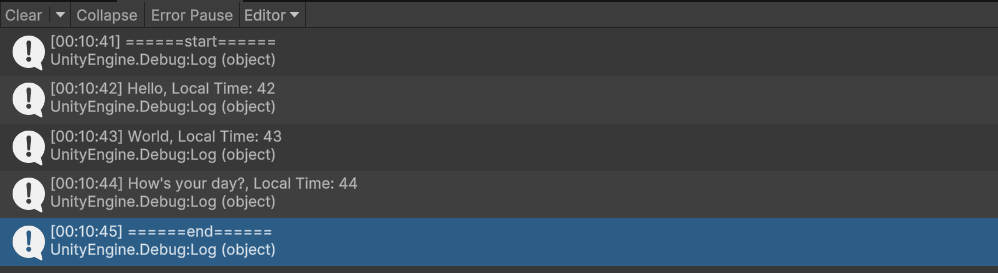
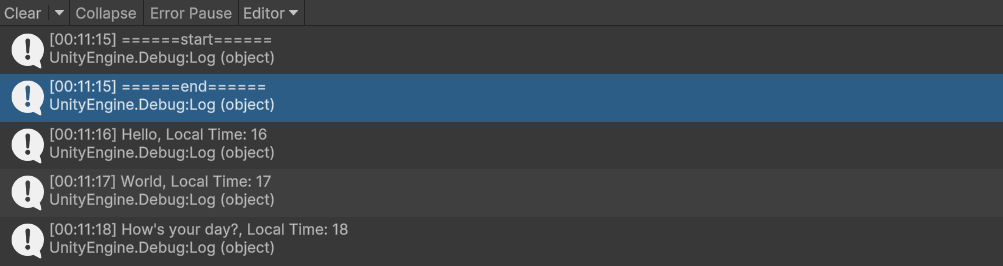
The original DelayWithTask calls Wait on every Task, forcing synchronous waiting and delaying the final end log until every Task completes. In DelayWithTaskIterateAsync, the final end log appears while none of the Tasks in the enumerable has finished; the Tasks then complete asynchronously.
We have successfully implemented asynchronous execution.
Now compare the same logic using C#’s official async/await Task:
The result matches the asynchronous implementation above. The official async/await tells the compiler to generate an equivalent iterator state machine and code similar to IterateAsync.
DotPeek decompiles DelayWithTaskAsync into:
I still do not fully understand the state-machine internals, but its Start calls the iterator’s MoveNext. MoveNext contains logic similar to IterateAsync.Process that passes a callback to Task.ContinueWith, and the state machine ends after all Tasks finish.
Like the modified MyTask.ContinueWith and IterateAsync, the builder itself wraps a Task. That is why a method with no return value can compile:
With async Task, the compiler generates the state machine, uses AsyncTaskMethodBuilder, and returns the builder’s Task.
Adding await and async support to a custom Task
Only a small amount of code is needed to use ordinary async/await syntax with MyTask.
Supporting await
Implement the awaiter pattern. Add an Awaiter struct to MyTask that implements INotifyCompletion:
Add the GetAwaiter getter to MyTask, and a normal async method can now await a custom Task:
Supporting async
The method above still returns Task, not MyTask. Add an AsyncMethodBuilder attribute to MyTask:
Common questions
What do ExecutionContext and SynchronizationContext do?
ExecutionContext
The official documentation defines ExecutionContext as a container for the current thread’s contexts and state, including security context, call context, and synchronization context. It also preserves values such as AsyncLocal, which can flow through one async method while the method moves between threads.
The following example demonstrates its purpose:
AsyncMethodA sets _asyncLocalInt to 10, starts B, sets it to 60 before B finishes, and starts C. B should print 10 after its delay; C should print 60.
If MyTask.Complete ignores ExecutionContext and directly runs the continuation on the Thread Pool, the value of _asyncLocalInt after awaiting a Task is wrong because the thread’s state was not preserved.

Await works by using a Task’s _continuation to call the iterator’s MoveNext and resume at the previous yield return. Because _continuation runs on a Thread Pool thread, the thread environment may differ after every await. ExecutionContext preserves the correct state.
SynchronizationContext
SynchronizationContext determines the time and environment in which code runs. It is abstract and must be implemented by the application; Unity provides UnitySynchronizationContext, which ensures that continuations after asynchronous Tasks return to the main thread.
My understanding is that ExecutionContext is a copy of state: ExecutionContext.Capture() copies the current values, preserving them as asynchronous code moves between threads. SynchronizationContext specifies the execution environment and time (for example, which thread should run the code). Code sent through SynchronizationContext.Post() runs at the specified time and on the specified thread.
Which thread runs code after await?
It depends. In MyTask.Complete, continuations are enqueued on the Thread Pool, and await resumes by calling the Task’s continuation and the iterator’s MoveNext. That sounds as if it always runs on a Thread Pool worker, but most applications have their own SynchronizationContext. C# uses the current context after await to return the continuation to the desired environment. In Unity, that is the main thread.
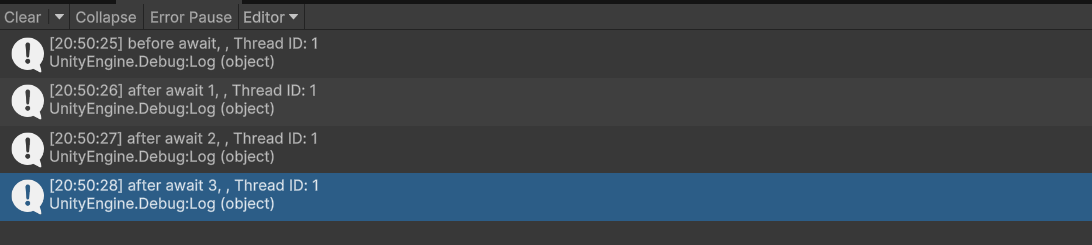
Each continuation returns to the main thread. Uncommenting SynchronizationContext.SetSynchronizationContext(null) produces the opposite result:
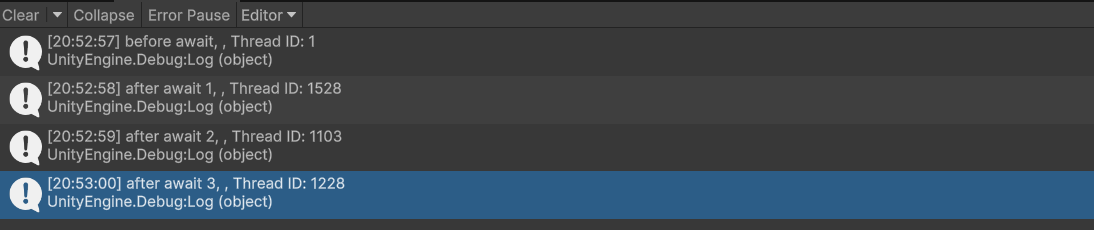
After the await completes, execution remains on the Thread Pool worker. Calling a Unity API there produces an error. This is where SynchronizationContext is essential.
Is async Task multithreaded?
I would say not by itself. async is a combination of a state machine and an iterator. Chaining Task.ContinueWith, MoveNext, and yield return pauses execution and resumes at the previous code location; this does not inherently involve multiple threads.
A Task only records whether work has completed (C# delegates SetResult and SetException to TaskCompletionSource). Using async Task does not mean multithreaded execution. Task.Run is an exception because it explicitly runs work on another thread.
The await syntax itself is also based on a Task, but its continuation may run on a worker thread depending on the SynchronizationContext. In ordinary Unity code, the context returns the continuation to the main thread.
What is the problem with async void?
An async void method is a fire-and-forget async method. UI and button events sometimes use it because a return value is not useful, but it has serious problems:
- Unlike a method returning a Task, it provides no Task through which completion can be checked.
- An exception from an
async Taskfunction is stored on the Task. An exception fromasync voidis raised directly on theSynchronizationContext, so the caller cannot catch it; a serious exception can crash the program.

The inner exception cannot be caught, and a serious one may crash the program. A helper can handle fire-and-forget Tasks:
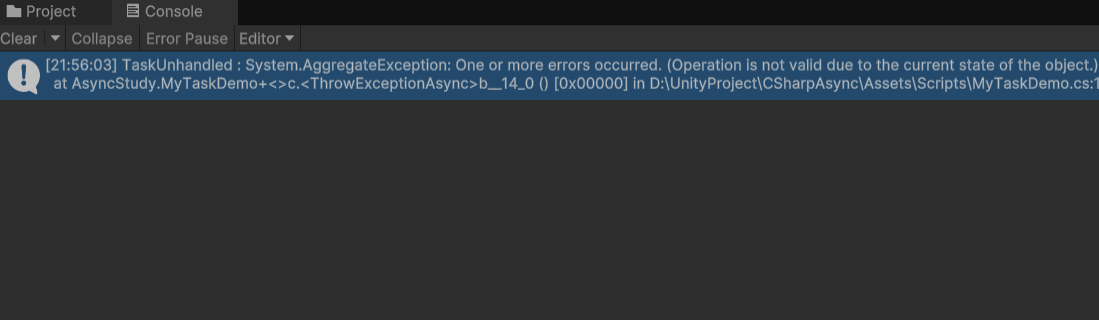
Another dangerous pattern is calling an async Task function without awaiting it. Errors may produce no visible error and eventually become an UnobservedTaskException, which can be even more dangerous than async void.

It is frightening. When using fire-and-forget, always handle exceptions correctly, and use async void only for events rather than merely for convenience.
Should Unity use Coroutines or Async Tasks?
Unity Coroutine characteristics:
- Every
yield returnwaits at least one game frame (yield return null). - It is tied to the MonoBehaviour lifecycle; destroying the GameObject interrupts the Coroutine.
- It always runs on the main thread.
- It has no return value.
- It provides Unity game-logic helpers such as
WaitForSecondsandWaitForEndOfFrame.
C# Async Task characteristics:
- The await duration is not tied to a game frame.
- It has no Unity-specific game-logic helpers.
- It is not tied to the MonoBehaviour lifecycle.
- It does not necessarily run on the main thread.
- It has a return value.
- Fire-and-forget usage requires care.
For me, the greatest advantage of Async Tasks is handling complicated user-input/output flows. They can be expressed with readable, extensible code, and the returned Task makes it easy to inspect the completion of one or many Tasks and control the overall flow.
Unity Coroutines are convenient precisely because they are tied to a GameObject. If logic needs to run according to an in-game animation, the one-frame granularity of yield return is intuitive. They are also convenient for fire-and-forget work where the result does not matter, such as playing a sound after a certain frame. If the sound’s GameObject is destroyed halfway through, its lifecycle ends with the object and the sound does not continue.
UniTask is an Async Task library built for Unity. It provides exception handling, Tasks tied to game frames and GameObject lifecycles, and helpers for awaiting Coroutines, making it extremely convenient.
In Japan, UniTask is now almost a required skill for Unity-related jobs.