💡 13. How to Make Non-ASP Shaders Receive Character-Only Shadows(Update : 2024/10/04 v1.20)
⚠️ This page applies only to the optional ASP ShadowMap legacy workflow on Unity 2022.3, 6.0, and 6.3. Unity 6.5 removes this Renderer Feature. Use the Cube Proxy for self-shadow removal; scene materials receive the character's cast shadow through Unity's built-in shadow map without the extra sampling described below.
💡 Prior to version 1.20, to have materials using non-ASP shaders receive character shadows (i.e., sample the ASP shadow map), you had to manually modify the code within each shader. For detailed instructions, please refer to point 2 on this page.
Starting with version 1.20, the ASP shadow map renderer feature includes an option for Screen Space Shadow. With this feature, you can easily display character shadows on other materials with a single click, (also completely avoiding self-shadowing on the characters). This is a more convenient option for those who cannot manually modify shader code.
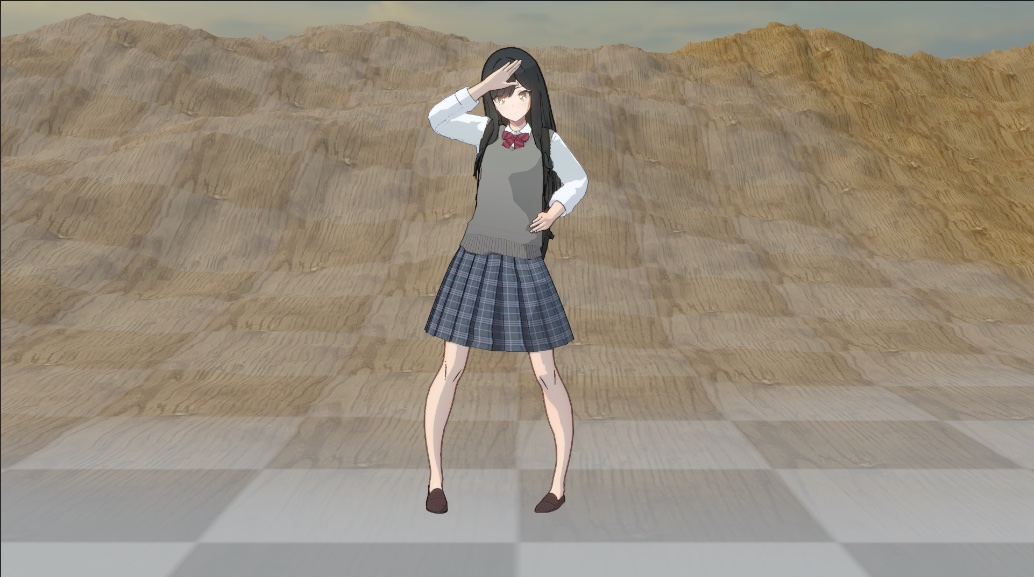
The image above illustrates an example where character shadows are not displayed correctly (It should be sampled from the ASP Shadow Map and display on the surface).
The reason for this issue is that the Terrain material beneath the character uses the Terrain/Lit shader, which does not sample the ASP Shadow Map by default. You can display character shadows on the terrain surface by using Method 1 or Method 2 below.
Method 1 - Use the Screen Space Shadow feature in the ASP Shadow Map → for users who prefer not to modify the shader code.
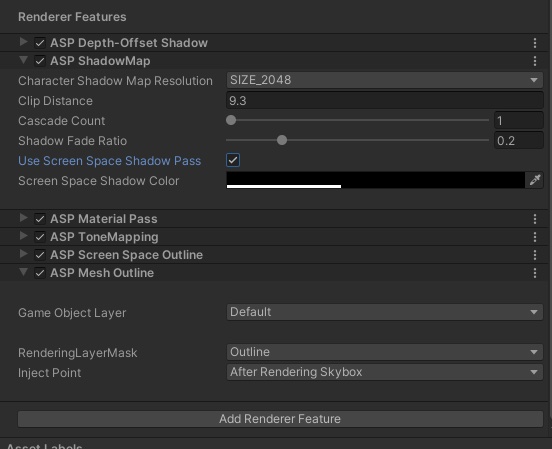
- In the current Universal Renderer Data asset, navigate to the ASP ShadowMap feature and set Use Screen Space Shadow Pass to true.
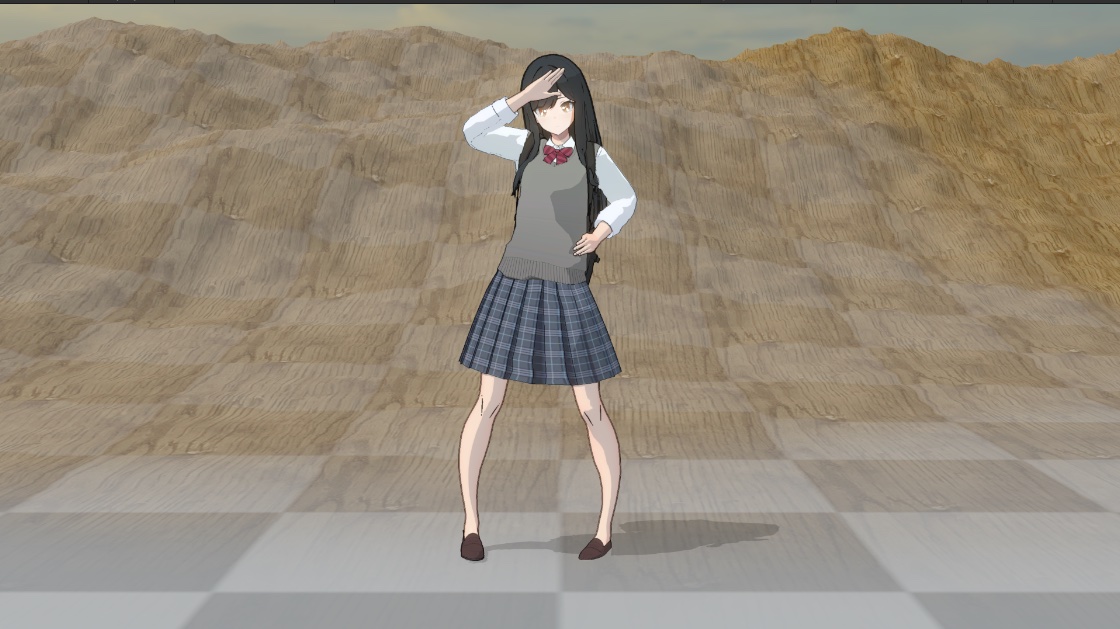
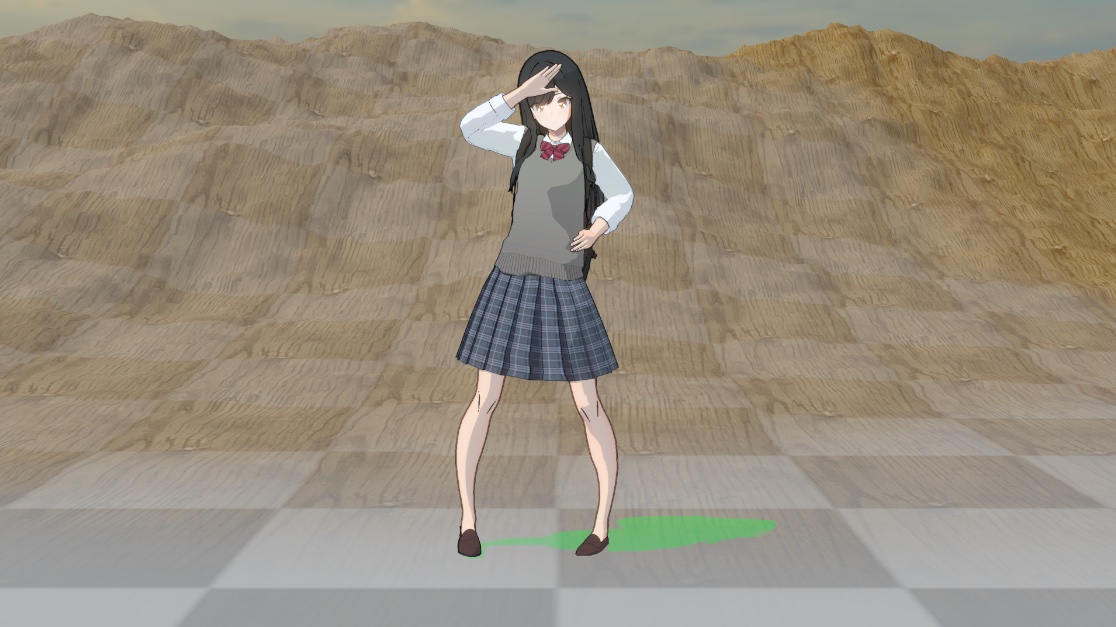
After enabled Use Screen Space Shadow Pass, the character-only shadow now display on terrain surface.
The ASP Screen Space Shadow feature reconstructs world position using the depth buffer after rendering opaque objects. These world position are then used to sample the ASP shadow map. Additionally, it utilizes the material ID (since the material pass has already been rendered) to prevent the character's self-shadowing.
You can customize the color and opacity of the shadows using the Screen Space Shadow Color parameter.
💡 The advantage of using screen space shadows is that you don't need to manually modify other shaders. However, the downside is that the shadow colors WILL differ from those of other PBR materials. This is because when rendering screen space shadows onto the scene, we don’t have surface information such as roughness/metallic —the color of the shadow is simply the alpha blending result of the current frame color.
Nonetheless, this approach is usually acceptable for highly stylized, anime-style games.
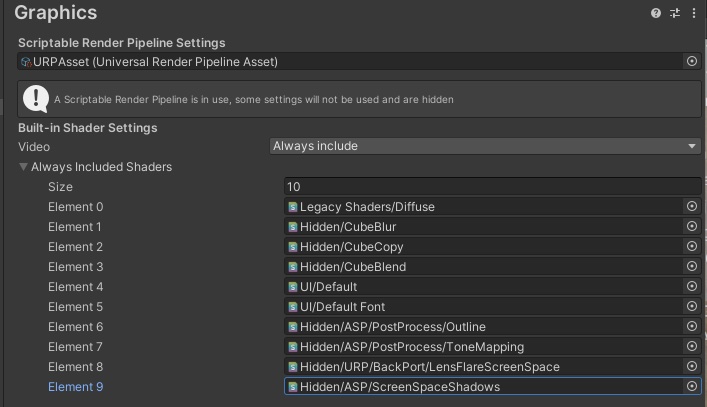
Make sure that Hidden/ASP/ScreenSpaceShadows is included in your Always Included Shaders under ProjectSettings. Otherwise the effect will not packed into your builds.
This should setup automatically once you open the ASP shadow map renderer feature in inspector.
Method 2 – Manually Sample the ASP Shadow Map in Your Shader Code → Ideal for users who want complete control over shadow colors and are familiar with shader programming.
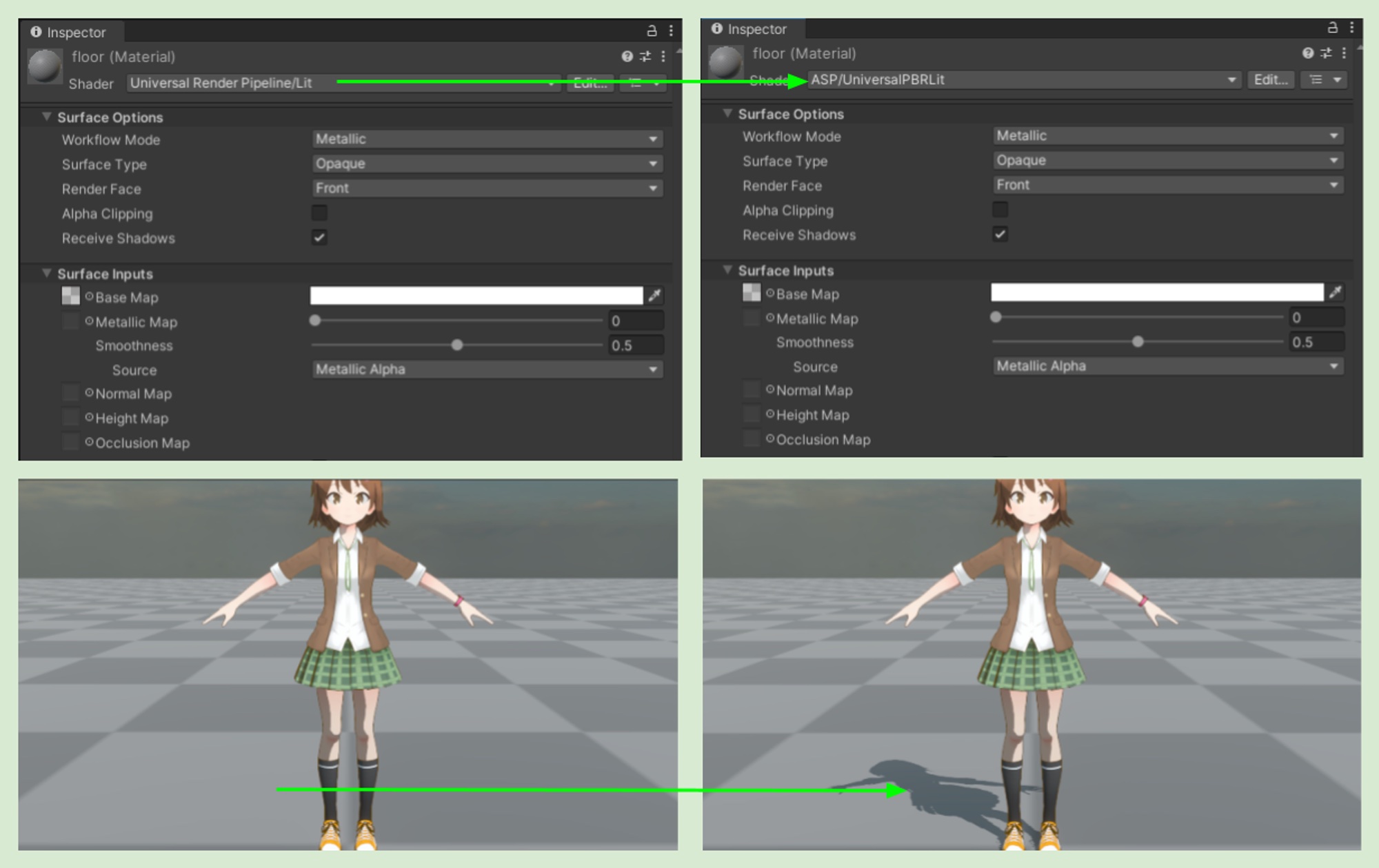
1. The Scene uses the built-in Lit for static objects/environenment, but needs to display character shadows from the ASP Shadow Map.
After character shadows are rendered separately to an additional ASP Shadow Map, materials that use other shaders must sample this shadow map in order to receive and display character shadows.
ASP/UniversalPBRLit is exactly the same as the built-in PBR (I directly copied the entire code), the only difference is that it will also sample the ASP Shadow Map when rendering shadows. In other words, when you need to make static objects receive and display character shadows, you can safely replace the built-in Lit Shader with ASP/UniversalPBRLit.
💡 Please note that ASP currently only works correctly in forward rendering and forward rendering + projects. This is because ASP needs to sample additional shadow maps, which is not supported in deferred rendering.
2. Scene uses a custom code shader and needs to display character shadows from the ASP Shadow Map
the following code can be added to sample the ASP Shadow Map:
#include "YourPathToASP/Shaders/ShaderLibrary/ASPShadows.hlsl"

//inside your fragment shader
{

    float aspShadowMapAttenuation = SampleASPShadowMap(positionWS);

    //assuming your shader use GetMainLight() or similar to retrieve urp main light.

    //now your shader can display both main light shadow map shadow and asp shadow map shadow.
    mainLight.shadowAttenuation *= aspShadowMapAttenuation;
}
3. Can Custom Shader Graph Shader receive character shadow from ASP Shadow Map ?
Technically, yes, you can use the code from section 2 in a custom function node to sample the ASP Shadow Map. The challenge is that there's no simple way to override the shadow attenuation of the main light after sampling another shadow map inside the shader graph, which will affect the shadow color.
So the shadow color will be incorrect. This is the reason I created ASP/UniversalPBRLit as an alternative solution.