🦇 6. Setup Character Shadow - ASP’s Shadow Solution (1.3 Update 2025/11/15)
Before setting up shadows, this page explains how ASP uses the Cube Proxy to remove character self-shadowing and why older release lines offered an additional Character-Only Shadow Map.
💡 Use the Cube Proxy for new setups. Unity 2022.3, 6.0, and 6.3 still retain ASP ShadowMap as a legacy option, but a character should use only one self-shadow removal method. Unity 6.5 provides only the Cube Proxy.
Self-shadowing problems of cel-shading characters
In general, when using the built-in shadow map, the self-shadowing effect on the character is not ideal. This is because the size of the shadow map is limited - the same shadow map must be able to contain the entire scene, and the characters in the scene usually only occupy a very small part of the shadow map (even with Unity's built-in 4-layer Cascaded Shadow Map, it is still not enough).
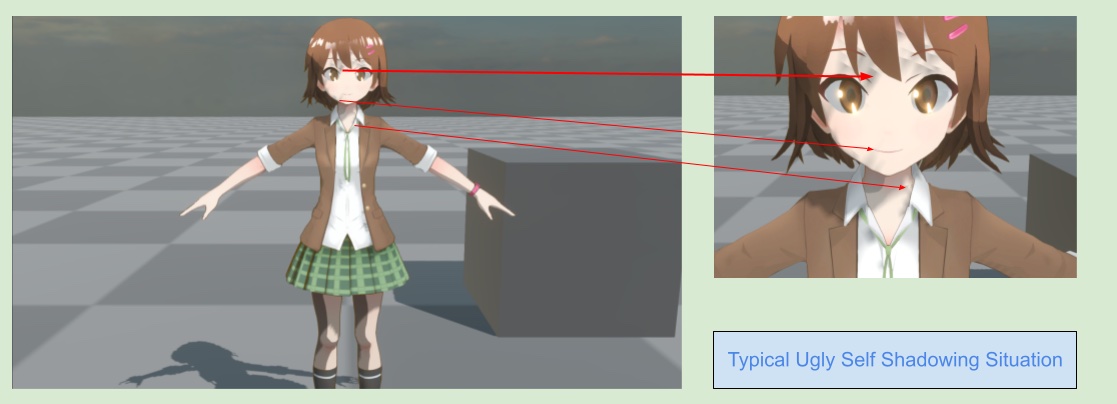
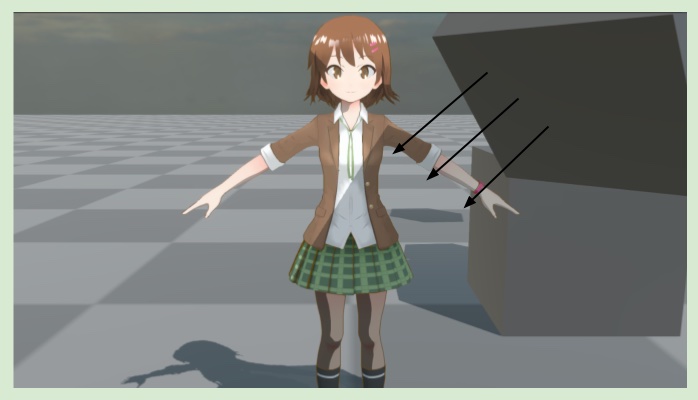
In the image above, the shadows cast by the hair and face mesh will produce undesirable self-shadowing on themselves because the shadow map is not large enough.
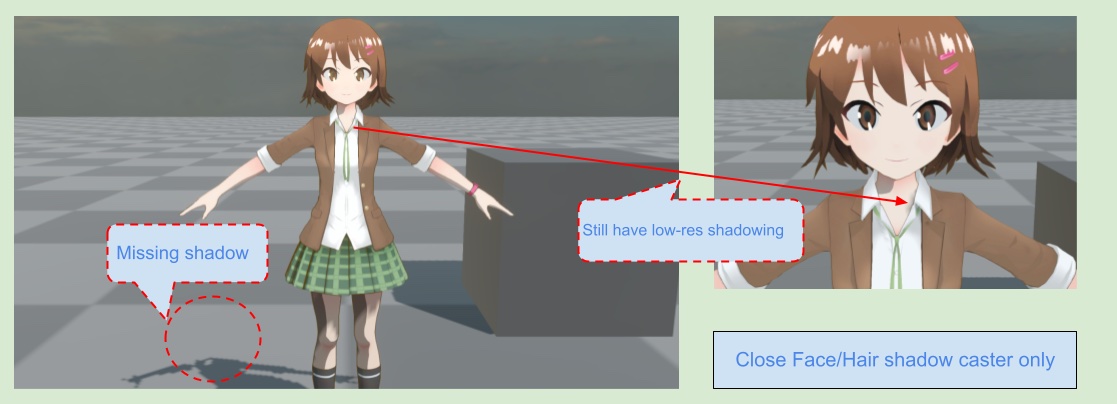
Simply changing the ShadowCaster of the hair and face mesh to Off can avoid the self-shadowing from the face and hair, but the character's shadow on the ground will also be missing the face and hair.
Recommended Self-Shadow Removal – Cube Proxy
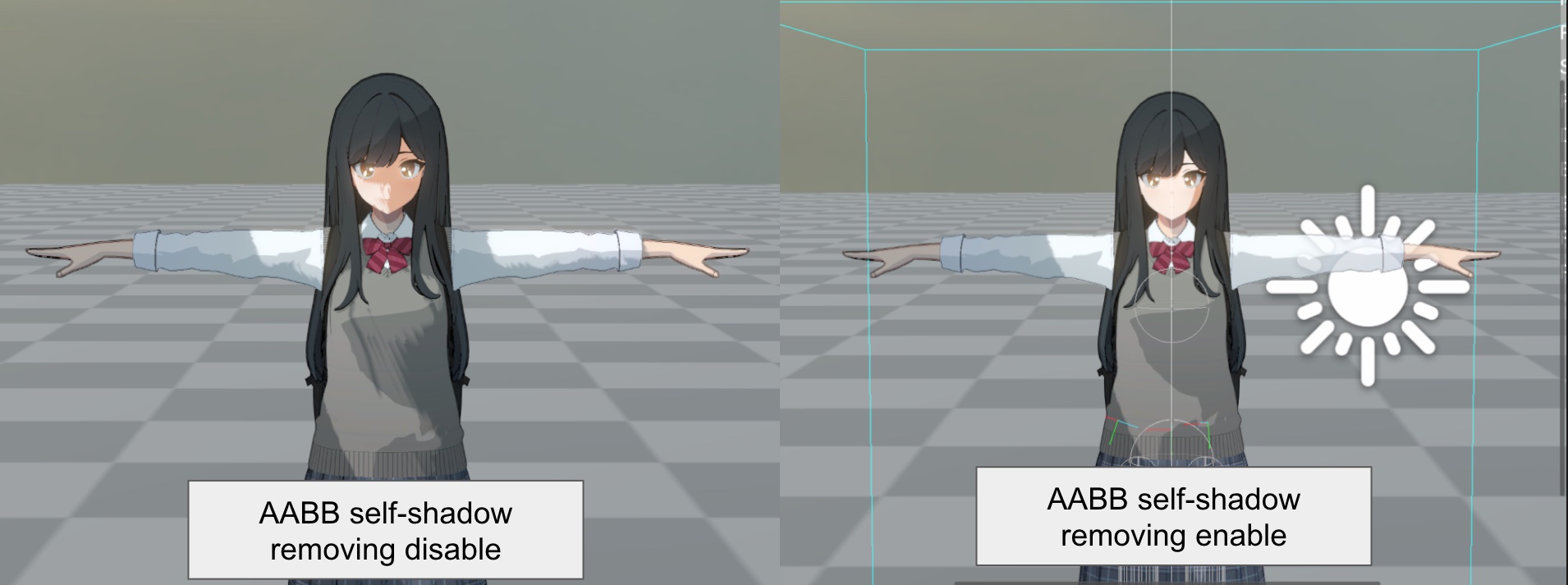
How it works :
In the character shadow algorithm used in Gravity Rush (PS Vita version), the character does not sample the shadow map using the current pixel’s world-space position.
Instead, the system wraps the character with a virtual proxy cube that fully contains the entire model.
During rendering, the character shader calculates the light-direction intersection with the AABB and samples the shadow map from the Cube Proxy surface.
With this setup:
✔ The character produces no self-shadow at all
Because the sampling position always comes from the cube’s outer surface, none of the character’s internal surfaces participate in self-shadowing.
✔ The character can still receive shadows cast by external objects
Objects outside the cube can still block the light, so shadows from the environment are still rendered correctly on the character.
💡 For most games—especially third-person titles with a more distant camera—this method is highly recommended.
It avoids the extra performance cost of rendering an additional “character-only shadow map” while achieving clean, self-shadow-free character shading.
Legacy Self-Shadow Solution – Character-Only Shadow Map
💡 This workflow is available only on Unity 2022.3, 6.0, and 6.3 release lines that still include the ASP ShadowMap Renderer Feature. Unity 6.5 does not support it.
ASP chooses to use a method that can effectively solve self-shadowing - render the character to a separate shadow map. The character itself only receives shadows from Unity's built-in shadow map, which does not include the character. The general scene objects receive shadows from the shadow map containing the character and the built-in shadow map - a total of two shadow maps. This is not applicable to all types of games, but for anime style character it can already achieve sufficiently convincing results.
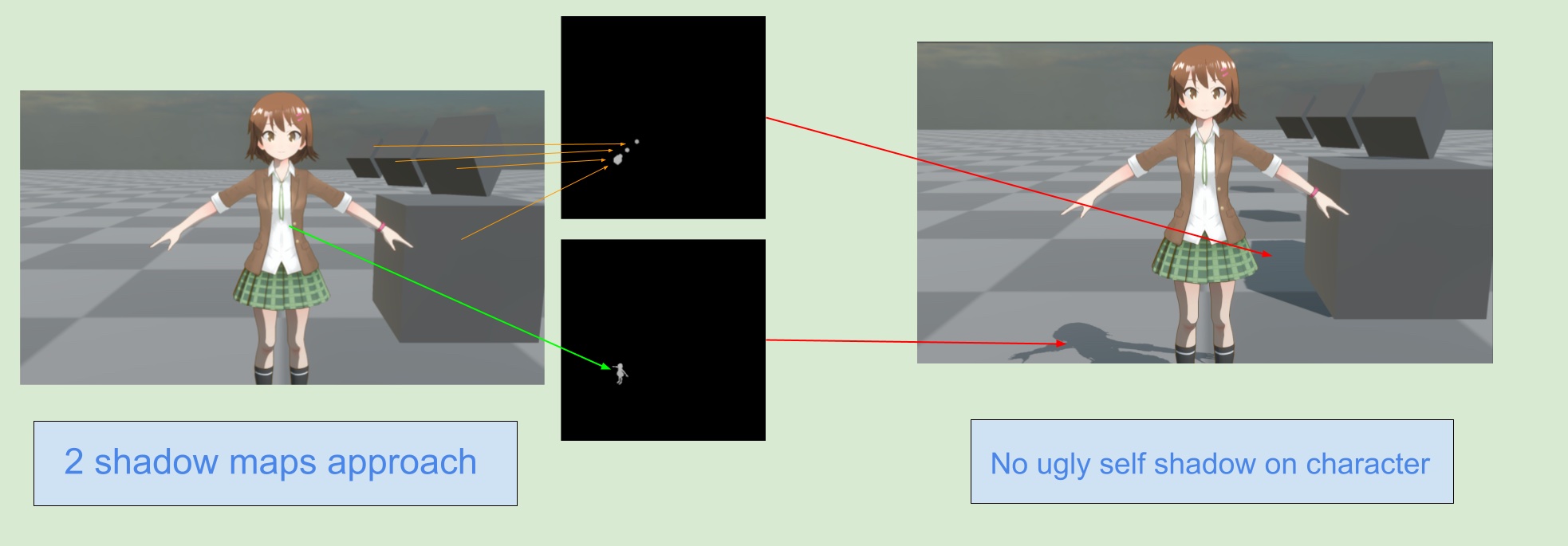
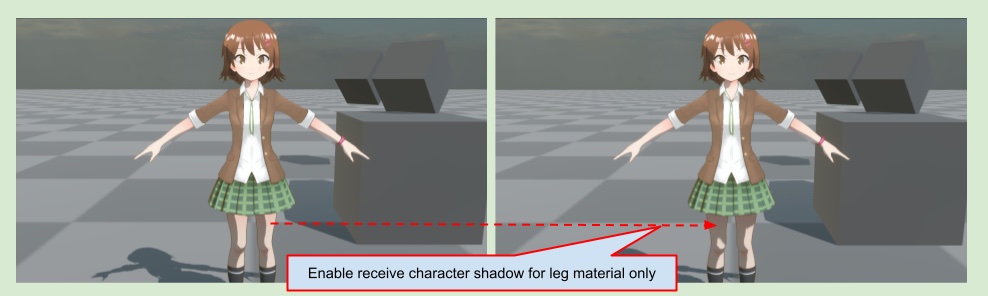
The character itself can still receive shadows from Unity's built-in shadow map.
Or, you can selectively enable specific materials to receive character shadows, such as making the leg material to be able to receive character shadows.
Screen-Space Depth-Offset Shadows
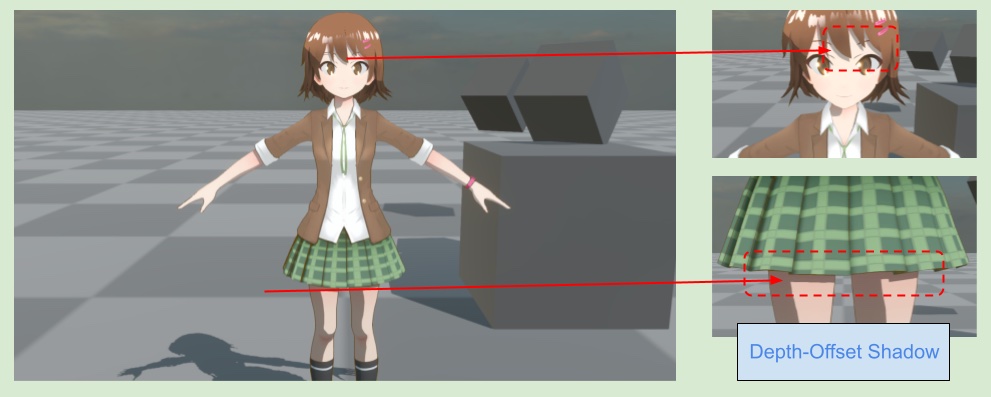
Although using two shadow maps can avoid self-shadowing of resolution-limited shadow map, it also loses the shadow details of the character itself. ASP provides an additional pass that relies on the offset depth buffer to create shadows similar to those that appear on the face and body of characters in animation. This can be used to make up for shadow details such as hair shadow on the face.
On the next page, I will demonstrate how to use the ASP Character Panel to quickly setup shadows for character in the Unity editor.
⏭️ Go to next page → 🦇 7. Character Shadow Setup Guide (1.3 Update 2025/11/15)