🌈 10.自訂陰影顏色Color of The Received Shadow
This page will explain in detail the impact of different Received Shadow Behaviour on the shadow color.
In the ASP character shader, under the 4️⃣ Diffuse/Lighting Behaviour (Ramp Shading) category, you can find different Received Shadow Behaviour to control the way the received shadow color is displayed.
| Received Shadow Behaviour | 說明 |
|---|---|
| - Use Ramp End | 使用Ramp Lighting Map最左端的顏色作為陰影色。 |
| - Color | 使用Received Shadow Color作為陰影色。 |
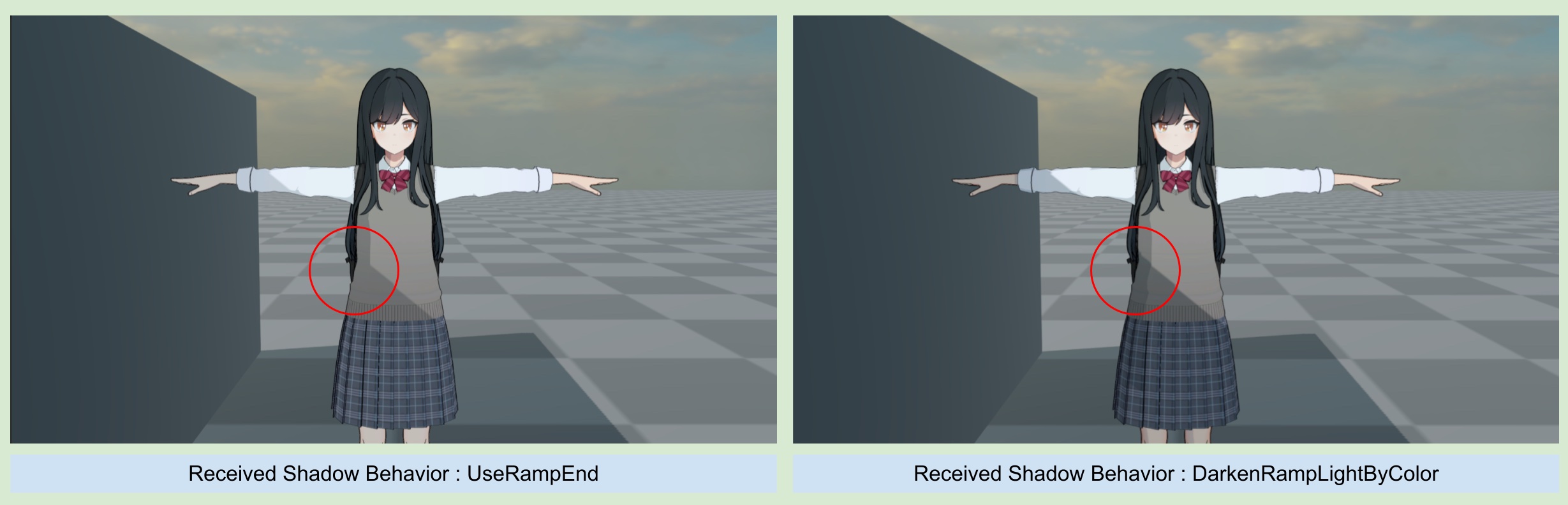
| - DarkenRampLightByColor | 保留當前像素顏色並且與Received Shadow Color混和做變暗的效果。 |
1.Use Ramp End
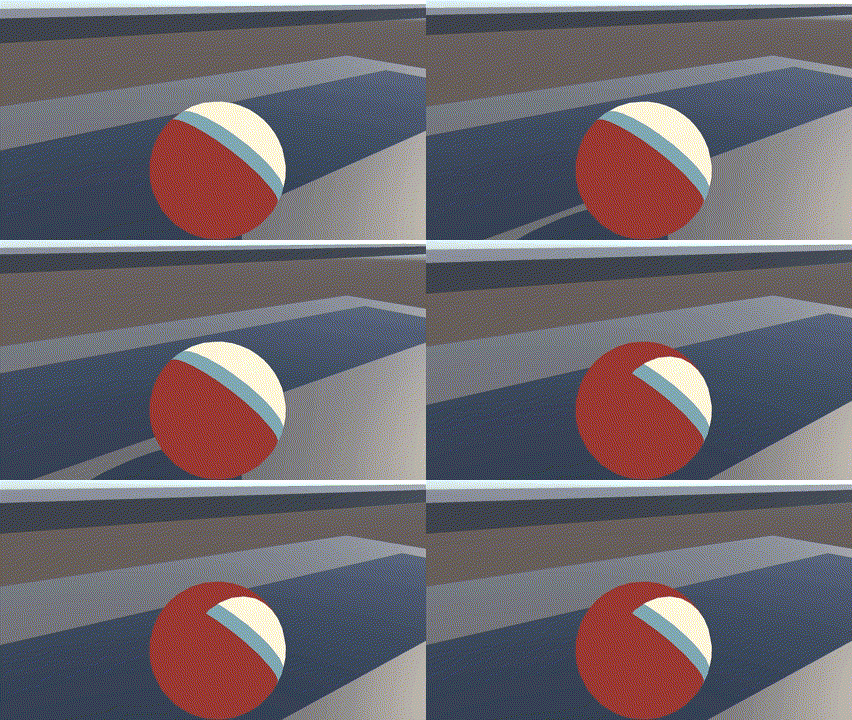
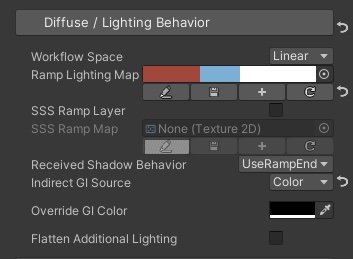
ASP的人物皆透過採樣Ramp lighting Map來表現出物體的明暗變化與顏色,因此預設會使用Use Ramp End這一行為 - 對於接收到的陰影顏色,使用Ramp lighting Map的最左端顏色來確保與物體光照的一致性。
下圖中可以觀察到,接收到的陰影顏色會與最Ramp Map中最左端的顏色相同。
2.Color
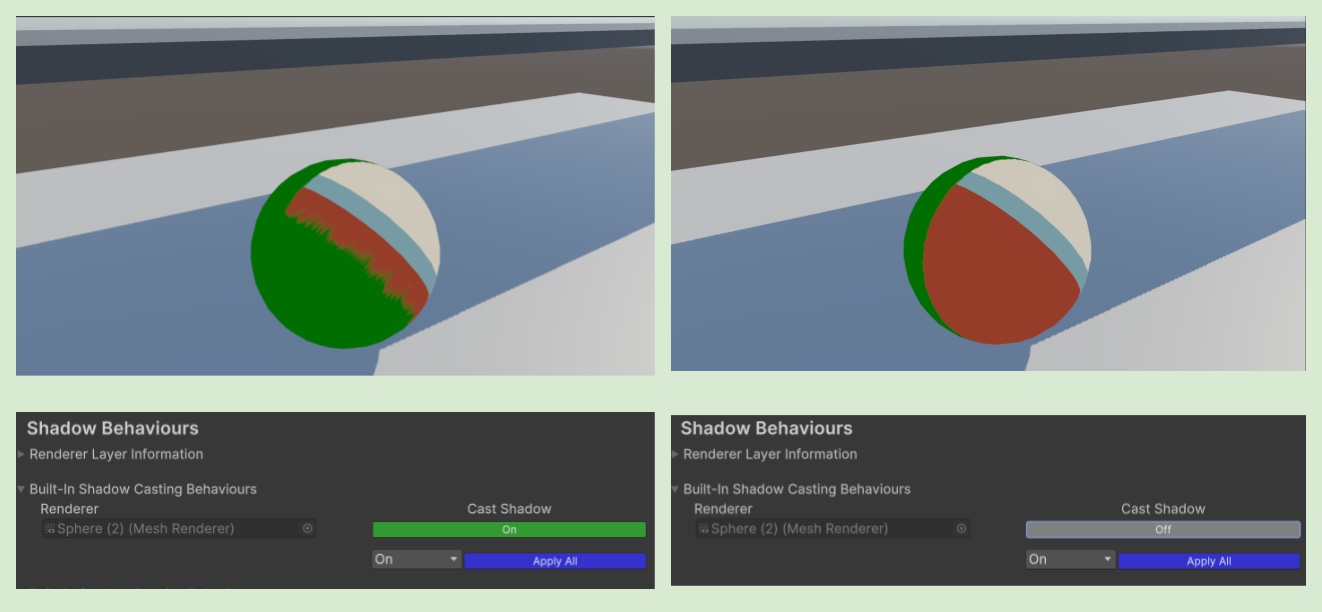
當Received Shadow Behaviour設定為Color時,可以將接收到的陰影強制設定為指定color。
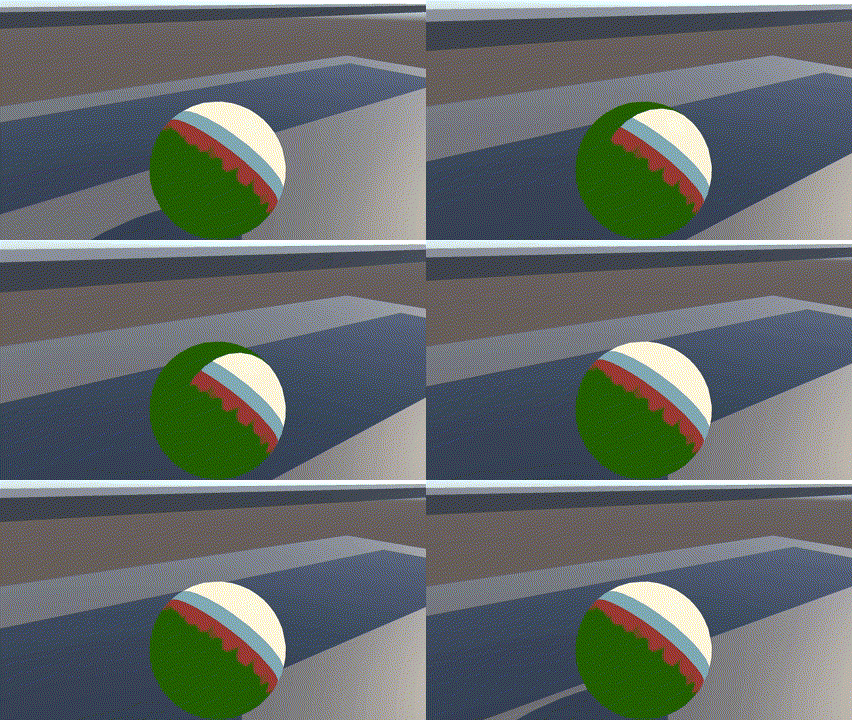
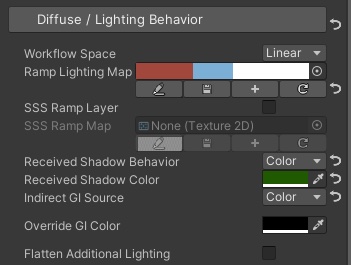
可以注意到這次的範例中,球體的左側出現了鋸齒狀的陰影,這是因為自陰影的顏色與ramp lighting map的顏色不相符的關係,依照 🦇 7.人物陰影設定 - 利用ASP Character Panel設定投射與接收陰影。(更新1.3 - 2025/11) (2-1關閉人物對內建shadow map的陰影渲染)的指示,將當前物體的內建Shadow caster關閉即可避免自陰影。
3.DarkenRampLightByColor
使用此模式時,接收到的陰影顏色會與指定Color進行一次變暗的混和。
這是一種能表現出接收陰影,又能保留原本物體本身ramp lighting明暗變化的方案。
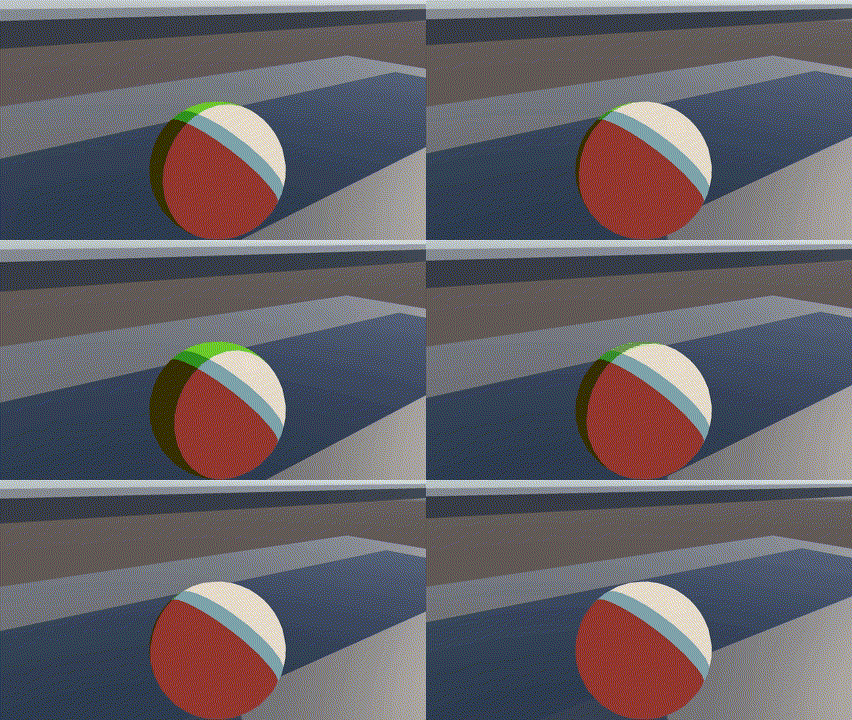
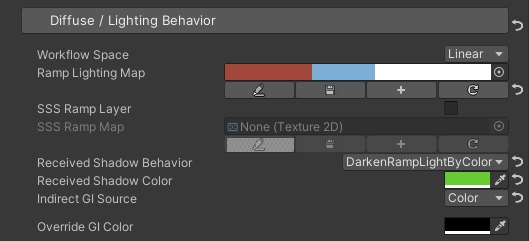
在DarkenRampLightByColor模式下,與Color模式相同,一樣會有自陰影問題,解決方式也是一樣的,將對built-in shadow map的shadow cast關閉即可。
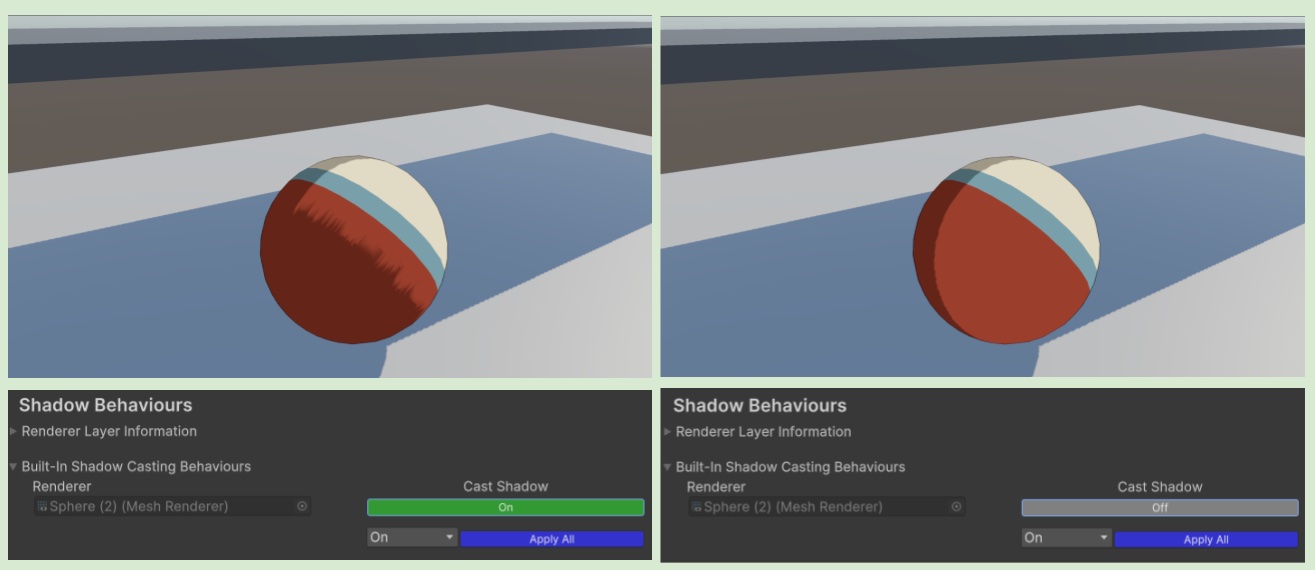
💡 DarkenRampLightByColor是一個很適合賽璐璐人物渲染的模式。可以保留人物身上的明暗變化。
⏭️ 前往下一頁 👀 11.眼睛設置